LiveChat
  Support
User Interface Meaning: What Is a UI, Really? (Plain-English Guide)
Every time you tap an app, click a button, or speak to a smart speaker, you are using a user interface. You probably don’t think about it, which is exactly the point. When an interface works well, it disappears, and you just get on with what you came to do. When it works badly, you notice every awkward step.
So let’s slow down and answer a simple question properly: what does “user interface” actually mean? In this guide I’ll break the term down word by word, walk through the main types of user interface, untangle the endless UI-versus-UX confusion, and show you what separates a good interface from a frustrating one. No jargon walls, I promise.
Key Takeaways
• User interface meaning: a UI is the point of interaction between a person and a device or piece of software, everything you see and touch to use it (buttons, menus, screens, icons, forms).
• The word “interface” means a meeting surface between two things, here, between a *user* and a *machine*.
• Common types of user interface include graphical (GUI), command-line (CLI), voice (VUI), touch, gesture, and web UI.
• UI is not UX. UI is the look and controls; UX is the whole feeling of using something.
• A good UI is clear, consistent, intuitive, responsive, accessible, and simple.
What does “user interface” actually mean?
A user interface (UI) is the point of interaction between a person and a device or piece of software. In plain terms, it’s *everything you see and touch to make something work*: the buttons, menus, screens, icons, forms, sliders, and text that let you tell a machine what you want and let the machine show you what’s happening.
When you open a banking app, the login box, the “Send money” button, the list of transactions, and the little back arrow are all part of its user interface. You never see the servers, databases, or code humming away underneath. You only ever meet the interface.
Here’s the neat part. The term describes itself if you split it in two:
- User = the person doing something (you).
- Interface = the meeting point, the shared surface where two separate things connect.
An “interface” in everyday English is simply a boundary where two systems touch and communicate. The dashboard of your car is an interface between you and the engine. A light switch is an interface between you and the electrical wiring. A user interface is just the version of that idea for devices and software: the surface where a human and a machine meet and exchange information.
That’s the whole user interface meaning in one sentence: it’s the meeting surface between a user and a machine.
What are the main types of user interface?
Not all interfaces look or behave the same. Over the years we’ve invented several ways for people to “talk” to machines, and most of them are still in use today. Here are the main types of user interface you’ll come across.
| Type of UI | What it is | How you interact | Everyday example |
|---|---|---|---|
| Graphical UI (GUI) | Visual interface with windows, icons, menus, and buttons | Click, tap, drag with mouse or finger | Windows, macOS, most mobile apps |
| Command-line UI (CLI) | Text-only interface | Type written commands | Terminal, Command Prompt, developer tools |
| Voice UI (VUI) | Spoken interface | Talk and listen | Alexa, Siri, Google Assistant |
| Touch UI | Direct on-screen control | Tap, swipe, pinch | Smartphones, tablets, kiosks |
| Gesture UI | Motion-based control | Wave, point, body movement | Gaming consoles, VR headsets |
| Web UI | Interface inside a browser | Click, tap, scroll, type | Websites and web apps |
The graphical user interface (GUI) is the one most people picture when they hear “interface”, because it’s everywhere: those familiar windows, icons, and clickable buttons. Before GUIs went mainstream, you mostly typed text commands into a command-line interface, which is powerful but unforgiving if you don’t know the exact wording.
The newer types, voice, touch, and gesture, exist because we keep finding more natural ways for humans to interact with machines. Most modern products mix several of these. Your phone, for example, is mostly a touch GUI, but it also has a voice assistant built in.
What’s the difference between UI and UX?
This is the question that trips almost everyone up, so let’s settle it. UI and UX are related but not the same thing.
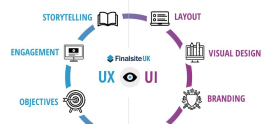
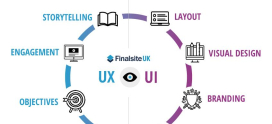
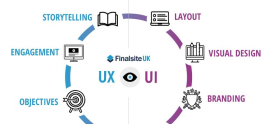
- UI (user interface) is the *look and the controls*, the buttons, colours, layout, and screens you interact with.
- UX (user experience) is the *whole feeling* of using a product, including how easy, fast, and pleasant the entire journey is.
Think of a restaurant. The UI is the menu design, the table layout, the plates, the lighting, everything you see and touch. The UX is the complete experience: how quickly you were seated, whether the food arrived warm, how the staff treated you, and how you felt walking out the door. Great plates (UI) can’t fully rescue a slow, confusing visit (UX), and a wonderful evening (UX) depends partly on those plates being right (UI).
| UI (User Interface) | UX (User Experience) | |
|---|---|---|
| Focuses on | The look and the controls | The overall feeling and journey |
| Made of | Buttons, colours, layout, screens | Flow, ease, speed, satisfaction |
| Question it asks | “Does this look clear and work?” | “Was the whole thing easy and pleasant?” |
| Scope | What you see and touch | Everything around using the product |
| Restaurant analogy | The menu, plates, and lighting | The entire dining experience |
A useful way to remember it: UI is part of UX. The interface is one big ingredient in the overall experience, but the experience also includes things the interface alone can’t control, like speed, reliability, and how well the product solves your problem. If you want to go deeper on this pairing, my colleague’s breakdown is worth a read: .
What makes a good user interface?
Once you know what a UI is, the next question is what makes one *good*. A strong interface tends to share these qualities:
- Clear. You can tell at a glance what things are and what they do. Labels make sense, and nothing important is hidden.
- Consistent. Buttons, colours, and patterns behave the same way everywhere, so once you learn one screen, you understand the rest.
- Intuitive. It matches what you already expect. A trash icon deletes things; a magnifying glass means search. You don’t need a manual.
- Responsive (gives feedback). When you do something, the interface reacts, a button changes colour when pressed, a spinner shows it’s loading. You’re never left wondering if it heard you.
- Accessible. It works for everyone, including people using screen readers, keyboard-only navigation, or who need larger text and strong colour contrast.
- Simple. It shows you what you need and hides the clutter. The fewer decisions you have to make, the easier it feels.
These same ideas sit at the heart of good , because a website is just one more interface, one your visitors meet through their browser.
Here’s the framing that changed how I think about interfaces. The name “user interface” literally tells you what it is: the *interface*, the meeting surface, between a *user* and a machine. And once you see it that way, you understand why good UI matters so enormously: the interface is the only part of any software or website a person ever actually touches.
Behind that thin surface there might be brilliant code, powerful servers, and clever logic, but the user experiences *none* of it directly. They only ever experience the buttons, screens, and controls of the interface. So the UI isn’t “the pretty layer on top”, it *is* the product, as far as the user is concerned. A flawless system with a confusing interface feels broken; a modest system with a clear interface feels great. The interface is where all that invisible work either becomes usable or stays locked away, which is exactly why so much design effort rightly goes into the thin surface the user actually meets.
What are the basic elements of a user interface?
Most interfaces are built from a small set of repeating building blocks. Once you can name them, you’ll start spotting them everywhere:
- Buttons trigger actions, “Submit”, “Buy now”, “Next”. They’re the verbs of an interface.
- Forms and inputs let you enter information: text fields, checkboxes, dropdowns, toggles, and sliders.
- Navigation helps you move around: menus, tabs, breadcrumbs, and links that show where you are and where you can go.
- Typography is the text and how it’s styled. Clear, readable type does a huge amount of the work in any interface.
- Colour guides attention, signals meaning (green for go, red for warning), and sets the mood and brand feel.
Strong navigation deserves a special mention, because it’s often the difference between visitors finding what they need and giving up. If you want to dig into that, this is a good next stop: .
What does user interface mean in web design?
In web design, a website’s user interface is simply how visitors interact with it: the menus they click, the buttons they press, the forms they fill in, the layout they scroll through, and the colours and text guiding them along. Every web page is an interface between a visitor and the content, products, or services behind it.
Good web UI follows all the principles we covered above, but it has one extra demand: it has to adapt. Your visitors arrive on phones, tablets, laptops, and giant monitors, so the interface needs to reshape itself to fit each screen. That’s the job of , and it’s now a basic expectation rather than a nice-to-have. For the full picture of how interface and experience come together on a website, the complete guide is the best place to go next: Website Design & UX: The Complete Guide to Building Sites People Love.
A quick word from DarazHost. A beautiful interface only feels beautiful when it’s *fast*. Even the best-designed UI feels broken if every button takes three seconds to respond. That’s the part we handle: DarazHost gives the websites and apps your visitors interact with a fast, reliable home. Our SSD storage, LiteSpeed servers, and built-in CDN keep every button, menu, and screen snappy and responsive, so all that careful interface work actually pays off. Great interfaces need great hosting to feel great, and our 24/7 support is here whenever you need a hand.
Frequently asked questions
What is the simplest definition of a user interface? A user interface is everything you see and touch to use a device or piece of software, the buttons, menus, screens, and controls that let you and the machine communicate. It’s the meeting point between a person and a system.
What does UI stand for? UI stands for user interface. You’ll also see UX, which stands for user experience, a related but broader idea covering the whole feeling of using a product, not just its controls.
What are the main types of user interface? The most common types are graphical (GUI, with windows and icons), command-line (CLI, text commands), voice (VUI, like Alexa or Siri), touch, gesture, and web UI inside a browser. Many products combine several at once.
Is UI the same as UX? No. UI is the look and the controls, the part you see and touch. UX is the entire experience of using something, including speed, ease, and how well it solves your problem. UI is one important part of UX, not the whole of it.
Why is the user interface so important? Because it’s the only part of a product a person ever actually touches. No matter how good the underlying code or servers are, users only experience the interface, so a confusing UI makes even a powerful system feel broken.