LiveChat
  Support
Server Name Indication (SNI): How One Server Hosts Hundreds of HTTPS Sites
If you run a website on shared hosting and it serves traffic over HTTPS with its own valid SSL certificate, you have Server Name Indication to thank. SNI is a small but pivotal extension to the TLS protocol that solved a problem most site owners never knew existed: how does a server that hosts dozens or hundreds of websites on a single IP address know *which* certificate to present when an encrypted connection begins? This article explains what SNI is, the mechanism that makes it work, and why it quietly turned HTTPS from an expensive, IP-hungry luxury into the default for everyone.
Key Takeaways
• Server Name Indication (SNI) is a TLS extension where the client tells the server which hostname it wants to reach at the very start of the handshake.
• It solves a chicken-and-egg problem: a server must present the correct, site-specific SSL certificate *before* encryption is established, but it can only do that if it knows which site you want first.
• SNI lets a single IP address serve many HTTPS sites, each with its own certificate, which is exactly what makes SSL on shared hosting practical and affordable.
• Before SNI, every HTTPS site generally needed a dedicated IP address, which was costly and wasteful as IPv4 addresses grew scarce.
• SNI is universally supported today; only ancient, long-retired clients lack it.
• Classic SNI sends the hostname in cleartext; Encrypted Client Hello (ECH) is the evolving fix for that privacy gap.
What is Server Name Indication (SNI)?
Server Name Indication is an extension to the TLS protocol that lets a client announce, at the very beginning of the handshake, the exact hostname it is trying to connect to. In plain terms, when your browser starts a secure connection to `example.com`, it includes the text `example.com` in its opening message so the server knows which website you actually want.
That sounds almost trivially obvious, but it addresses a genuine gap in how encrypted connections are negotiated. The web’s addressing system works at two different layers. At the network layer, a connection is made to an IP address. At the application layer, a single IP address can host many different hostnames, that is, many different websites. For unencrypted HTTP, this was never a problem: the browser sends a `Host:` header inside the request that tells the server which site it wants. But that header travels *inside* the HTTP request, which for HTTPS is itself encrypted. The server needs to set up the encryption first, and to do that it must present a certificate, and the certificate is tied to a specific hostname. So the server faces a question it cannot yet answer: which of my many sites is this visitor asking for?
SNI answers that question up front, in the clear, before encryption begins. To understand why that matters so much, it helps to look at how SSL certificates and the TLS handshake fit together in the first place. For the full picture, see our pillar guide to SSL certificates and how HTTPS encryption and trust work.
What problem does SNI actually solve?
The core problem is one of timing and identity. A web server that hosts multiple HTTPS sites on one IP address has multiple SSL certificates available, one per site. When a connection arrives, it must choose the right one. Present the wrong certificate and the browser will throw a certificate name mismatch warning, refusing to trust the connection.
The catch is that certificate selection has to happen at the start of the TLS handshake, which is the negotiation that establishes the encrypted channel. The very first useful thing the server does is send its certificate. But the information that would normally tell the server which site you want, the `Host:` header, lives inside the HTTP request that only exists *after* encryption is in place. So without help, the server is asked to pick the correct site-specific certificate before it has any way of knowing which site you’re after.
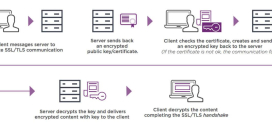
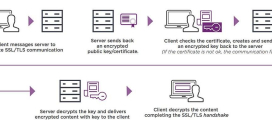
explains the handshake in detail, but the short version is this: the certificate exchange comes early, and the destination hostname is needed even earlier. SNI inserts that hostname into the opening message of the handshake so the deadlock never occurs.
How does SNI work in the TLS handshake?
SNI is carried inside the ClientHello, the first message the client sends when opening a TLS connection. Here is the sequence, step by step.
- The client opens a connection to the server’s IP address and prepares to begin the TLS handshake.
- The client sends a ClientHello message. Inside it, as a TLS extension, the client includes a `server_name` field set to the hostname it wants, for example `shop.example.com`.
- The server reads the `server_name` value before doing anything cryptographically committal. It looks up which of its hosted sites matches that hostname.
- The server selects the matching certificate for that exact hostname and sends it back in its response.
- The handshake continues normally, the two sides agree on keys, and the encrypted session is established, this time with the correct certificate already in place.
The elegant part is that the `server_name` is just a hint sent at the right moment. It does not weaken the encryption that follows; it simply lets the server make a correct decision it would otherwise be unable to make. Everything after the certificate selection proceeds exactly as a normal TLS handshake would.
Why does SNI matter for web hosting?
This is where SNI stops being a protocol footnote and becomes the foundation of modern affordable hosting. SNI is what makes shared hosting plus HTTPS work at scale.
On , hundreds or even thousands of websites can live on a single physical server, sharing one or a small handful of public IP addresses. Each of those sites can, and increasingly must, serve traffic over HTTPS with its own valid certificate. Without SNI, that arrangement would be impossible: the server could only safely present one certificate per IP address, because it would have no way to distinguish requests for `site-a.com` from requests for `site-b.com` arriving at the same IP.
SNI removes that limitation entirely. Because the client announces its target hostname up front, the server can keep a separate certificate for every site it hosts and serve the correct one on demand. The result is that proper is available to every site on a shared plan, not just to those willing to pay for a dedicated IP.
The deeper story is that SNI quietly broke a chicken-and-egg deadlock that once made HTTPS both expensive and IP-hungry. To set up an encrypted TLS connection, the server must present the correct SSL certificate, but the certificate is site-specific, so the server has to know *which* of its many hosted sites you want before the encryption that would normally carry that information even exists. Before SNI, the only practical fix was assigning one dedicated IP address per HTTPS site, so the server could tell sites apart purely by which IP the connection landed on. That worked, but it was costly and increasingly unsustainable as the world ran short of IPv4 addresses, where every certificate effectively consumed a scarce, finite resource. SNI breaks the deadlock by having the client announce the target hostname in the clear at the very first step of the handshake, so the server can immediately pick the right certificate and a single IP can serve hundreds of HTTPS sites, each with its own cert. That is the unsung reason free SSL on shared hosting is even possible: SNI made “many secure sites, one IP” work, turning HTTPS from an IP-limited luxury into the default for everyone.
SNI vs dedicated IP: what changed?
Before SNI was widely supported, the standard way to host multiple HTTPS sites was to give each one its own dedicated IP address. The server identified the site by the IP the connection arrived on and presented the matching certificate. SNI replaced this approach for the vast majority of use cases. The table below contrasts the two.
| Aspect | Dedicated IP per HTTPS site (pre-SNI) | SNI (modern default) |
|---|---|---|
| How the server identifies the site | By the destination IP address | By the `server_name` in the ClientHello |
| IP addresses needed | One per HTTPS site | One shared IP can serve many sites |
| Cost | Higher; dedicated IPs are a billable, finite resource | Lower; no per-site IP required |
| IPv4 efficiency | Wasteful as addresses grew scarce | Highly efficient; conserves address space |
| Scalability on shared hosting | Impractical at scale | Practical for hundreds of sites per server |
| Still useful for? | Specific cases: some legacy systems, certain reputation or compliance needs | Everyday HTTPS hosting |
Dedicated IPs have not disappeared, and there are still legitimate reasons to want one, such as certain legacy integrations or specific operational requirements. But they are no longer a *prerequisite* for serving HTTPS, which is the change that mattered. For the relationship between certificates and the hostnames they cover, see .
How widely is SNI supported?
SNI is universally supported across modern browsers, operating systems, and server software. Every current web browser, every actively maintained operating system, and every mainstream web server and TLS library handles it as standard. For practical purposes, you can assume any visitor reaching your site today supports SNI.
The exceptions are confined to genuinely ancient, long-retired software, old browser versions on operating systems that themselves stopped receiving updates years ago. Because those platforms represent a vanishingly small and shrinking share of real-world traffic, the hosting industry has standardized on SNI without hesitation. In short: compatibility is no longer a meaningful concern when relying on SNI.
| Client category | SNI support |
|---|---|
| Modern desktop and mobile browsers | Full support |
| Actively maintained operating systems | Full support |
| Current web servers and TLS libraries | Full support |
| Long-retired legacy clients on unsupported OSes | May lack support |
Does SNI have a privacy weakness?
Yes, and it is worth understanding even though it does not undermine the security of your encrypted data. Classic SNI sends the requested hostname in cleartext. Because the `server_name` value must be readable by the server *before* encryption is set up, it travels unencrypted in the ClientHello. That means a network observer sitting between the client and server, such as an internet provider or a party monitoring the network, can see which hostname you are connecting to, even though the contents of your session remain fully encrypted.
To be clear about the scope: this leaks the *destination* hostname, not the data you exchange with it. The encryption of the actual session is unaffected. Still, the hostname itself can be sensitive, and the privacy community has worked on closing this gap.
The evolving fix is Encrypted Client Hello (ECH), an extension that encrypts the sensitive parts of the ClientHello, including the server name, so that on-path observers can no longer read which specific hostname you requested. ECH is still maturing in terms of deployment, but it represents the direction the protocol is heading: preserving SNI’s mechanism for picking the right certificate while removing the cleartext exposure of the hostname.
How DarazHost uses SNI to give every site free SSL
At DarazHost, SNI is the reason every website on shared hosting gets its own free SSL certificate on shared infrastructure, with no dedicated IP required and no extra cost. When a visitor connects, our servers read the requested hostname from the ClientHello and serve the correct certificate automatically, so you get proper HTTPS with the right certificate every time, set up for you rather than configured by hand. If your project genuinely needs a dedicated IP, perhaps for a specific integration or compliance requirement, those options remain available on our VPS and dedicated plans, and our team is on hand 24/7 to help you choose. The everyday default, though, is exactly what SNI was built to deliver: many secure sites, one IP, each with its own valid certificate.
Frequently asked questions
What is SNI in simple terms? SNI, or Server Name Indication, is a TLS feature where your browser tells the server which website hostname it wants to reach at the very start of a secure connection. This lets a server that hosts many sites on one IP address pick and present the correct SSL certificate for the site you actually requested.
Why is SNI needed if HTTP already has a Host header? The HTTP `Host:` header travels inside the request, which for HTTPS is encrypted. The server needs to choose and send the right certificate *before* that encryption is established, so it cannot wait for the `Host:` header. SNI supplies the hostname earlier, in the unencrypted ClientHello, so the server can pick the correct certificate up front.
Does SNI make my connection less secure? No. SNI does not weaken the encryption of your session in any way. It only adds the requested hostname to the opening handshake message so the correct certificate can be selected. The one privacy consideration is that classic SNI sends that hostname in cleartext, which Encrypted Client Hello (ECH) is designed to address.
Do I still need a dedicated IP address for HTTPS? In most cases, no. SNI lets a single shared IP serve many HTTPS sites, each with its own certificate, so a dedicated IP is no longer a prerequisite for HTTPS. Dedicated IPs remain available for specific needs, such as certain legacy systems or compliance requirements, but they are now optional rather than required.
Is SNI supported by all browsers? Effectively yes. Every modern browser, operating system, and mainstream server supports SNI. Only very old, long-unsupported clients lack it, and those represent a negligible and shrinking share of real-world web traffic.