LiveChat
  Support
WireGuard and SSL/TLS Issues: Why HTTPS Breaks Over Your VPN Tunnel
If you searched for “WireGuard SSL issues,” the first thing to clear up is a common misconception: WireGuard does not use SSL or TLS at all. It runs its own modern cryptography based on the Noise protocol framework, encrypting traffic with primitives like Curve25519, ChaCha20, and Poly1305 over UDP. There is no TLS handshake, no X.509 certificate, and no cipher suite negotiation anywhere in WireGuard’s design.
So when people report “SSL problems with WireGuard,” they almost never have a problem with WireGuard’s own encryption. What they actually have is one of two things: TLS (HTTPS) traffic failing as it travels *over* the WireGuard tunnel, or a mix-up between WireGuard and traditional SSL VPNs like OpenVPN, which genuinely do use TLS. This guide untangles both and shows you how to fix the connectivity failures that get mislabeled as “WireGuard SSL issues.”
Key Takeaways
• WireGuard uses Noise-protocol crypto over UDP, not SSL/TLS — there is no certificate to misconfigure.
• When HTTPS or TLS breaks over a WireGuard tunnel, the cause is almost always MTU/MSS fragmentation, not a certificate problem.
• Fix most “websites won’t load over WireGuard” cases by lowering the interface MTU or clamping the TCP MSS.
• DNS resolution failures and clock skew are the next most common causes of broken HTTPS over the tunnel.
• Make sure UDP port 51820 is open on your firewall — WireGuard never uses the TLS port 443 by default.
Does WireGuard use SSL or TLS?
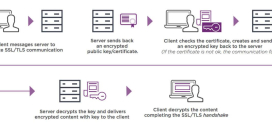
No. This is the single most important fact to internalize. SSL/TLS is the protocol that secures HTTPS, email over STARTTLS, and traditional “SSL VPNs.” It relies on certificate authorities, public-key infrastructure, and a multi-step handshake over TCP (or QUIC).
WireGuard deliberately throws all of that out. It uses a single static key pair per peer, performs a lightweight 1-RTT handshake based on Noise_IK, and transports everything inside UDP datagrams. There is no certificate chain to validate, no cipher negotiation, and no “SSL error” that WireGuard itself can produce.
The confusion is understandable. Many older corporate VPNs are marketed as “SSL VPNs,” and OpenVPN — WireGuard’s closest competitor in the open-source world — really does run its data channel over TLS. If you migrated from OpenVPN to WireGuard expecting to manage certificates, that mental model simply does not apply.
The single most useful diagnostic insight: when HTTPS or any TLS connection breaks *over* a healthy WireGuard tunnel, it is almost always an MTU/MSS problem fragmenting the TLS handshake — not a certificate issue, not a cipher mismatch, and not WireGuard’s crypto. The tunnel pings fine and small requests work, but the larger packets of a TLS ClientHello/ServerHello exchange get silently dropped. The fix is to lower the MTU or clamp the MSS, not to touch any certificate.
Why does HTTPS fail over a WireGuard tunnel?
When the tunnel is up (handshakes succeed, you can `ping` the peer) but websites won’t load, TLS handshakes hang, or HTTPS times out, you are looking at a transport problem, not an encryption problem. Here are the usual suspects, in order of likelihood.
MTU and MSS: the classic WireGuard gotcha
This is the number one cause. WireGuard adds its own header and encryption overhead to every packet. If your underlying network has an MTU of 1500, the encapsulated WireGuard packets need room for that overhead — so the effective MTU inside the tunnel is smaller (WireGuard defaults to 1420, and over PPPoE or some mobile networks even that is too high).
When a TLS handshake fires, the ServerHello plus certificate chain is large and fills full-size packets. If those packets exceed the path MTU and the “don’t fragment” bit is set (normal for modern TCP), they get dropped. If Path MTU Discovery is also broken by an intermediate firewall that swallows ICMP “fragmentation needed” messages — a depressingly common situation — the sender never learns to send smaller packets. The result: small requests succeed, the TLS handshake stalls, and the page hangs on “Connecting securely…”.
MSS clamping solves this at the TCP layer by rewriting the Maximum Segment Size in the SYN packet so both ends agree to send segments that fit inside the tunnel. It is the most reliable fix because it does not depend on ICMP working correctly.
DNS resolution failures over the tunnel
If your WireGuard config pushes a `DNS =` setting but that resolver is unreachable through the tunnel, hostname lookups fail. Browsers then can’t resolve the domain at all, which looks like a connection or “SSL” error even though no TLS handshake ever started. Misrouted DNS is especially common in split-tunnel setups where the DNS server is on the far side but the route to it wasn’t included in `AllowedIPs`.
Time synchronization and certificate validation
TLS certificate validation depends on the client’s system clock. If the device behind the tunnel has a badly wrong clock, every HTTPS site returns `NET::ERR_CERT_DATE_INVALID` or `certificate is not yet valid`. People blame “WireGuard SSL issues,” but the tunnel is innocent — the clock is wrong. This is common on devices that lost NTP sync, headless servers, or VMs that paused.
Firewall blocking UDP 51820
If the tunnel itself won’t come up, no traffic — TLS or otherwise — can flow. WireGuard listens on UDP port 51820 by default. Many restrictive networks allow TCP 443 but block arbitrary UDP, which is why some users try to make WireGuard “look like SSL” by moving it. Confirm the port is open before chasing application-layer ghosts.
Causes and fixes at a glance
| Symptom | Likely cause | Fix |
|---|---|---|
| Tunnel up, but HTTPS hangs / sites won’t load | MTU too high / PMTUD broken | Lower interface MTU or clamp TCP MSS |
| TLS handshake stalls on large sites only | Oversized handshake packets fragmenting | MSS clamping via iptables |
| “Server not found” / no lookup happens | DNS unreachable over tunnel | Fix `DNS =` and `AllowedIPs` routing |
| `ERR_CERT_DATE_INVALID` on every site | Clock skew breaking cert validation | Sync time with NTP |
| Tunnel never establishes | UDP 51820 blocked by firewall | Open UDP 51820; verify with handshake |
| Expecting to manage certs | Confusing WireGuard with an SSL VPN | None needed — WireGuard uses no TLS |
How do you fix MTU and MSS problems on WireGuard?
Start by lowering the tunnel MTU. WireGuard’s default is 1420; dropping to a conservative value often resolves the hang immediately.
“`bash
sudo ip link set dev wg0 mtu 1380
“`
If lowering the MTU isn’t enough — or you don’t want to penalize all traffic — clamp the TCP MSS so TLS segments fit the tunnel automatically:
“`bash
sudo iptables -t mangle -A FORWARD -o wg0 \ -p tcp –tcp-flags SYN,RST SYN \ -j TCPMSS –clamp-mss-to-pmtu “`
You can also pin an explicit MSS value if PMTUD is unreliable. For an MTU of 1380, the typical IPv4 MSS is `1380 – 40 = 1340`:
“`bash sudo iptables -t mangle -A FORWARD -o wg0 \ -p tcp –tcp-flags SYN,RST SYN \ -j TCPMSS –set-mss 1340 “`
To confirm the path actually carries a given packet size, test with a “don’t fragment” ping and shrink until it succeeds:
“`bash
ping -M do -s 1352 10.0.0.1 “`
Finally, verify the basics — that the tunnel is healthy and DNS works — before assuming TLS itself is broken:
“`bash
sudo wg show
dig +short example.com
sudo timedatectl set-ntp true “`
If `wg show` reports a recent handshake but HTTPS still fails, you have confirmed the encryption layer is fine and the problem is MTU/MSS, DNS, or time — exactly the issues above.
WireGuard vs SSL VPNs: which uses TLS?
If you genuinely need a VPN that speaks TLS — for example to traverse networks that only permit traffic on port 443 — then WireGuard is the wrong tool, and that’s fine. The two designs solve the problem differently:
- OpenVPN (an SSL/TLS VPN): authenticates with X.509 certificates, negotiates a TLS session, and can run over TCP 443 to blend in with HTTPS. More configurable, heavier, slower.
- WireGuard: no certificates, no TLS, UDP-only by default, far leaner and faster, with a tiny codebase that’s easier to audit.
Neither is “more secure” by category — both are strong when configured correctly. But only one of them has SSL/TLS to troubleshoot, and it isn’t WireGuard. If your real requirement is “VPN that looks like HTTPS,” look at an SSL VPN or a tool like a userspace TLS wrapper, not WireGuard tuning.
Run your own WireGuard server with full network control
Most “WireGuard SSL issues” are really MTU, routing, and firewall issues — and fixing them cleanly requires root-level control over the host. On shared environments you often can’t change the interface MTU, add iptables MSS-clamping rules, or open UDP 51820. A DarazHost VPS with full root access removes those limits:
- Complete control of networking — set your own MTU, clamp MSS, manage routes, and open UDP 51820 without restrictions.
- Static IP and reliable network — a stable endpoint for your WireGuard peers, with consistent low-latency connectivity for tunneled traffic.
- Right-sized resources — run WireGuard alongside DNS, a reverse proxy, or your own services on the same machine.
- 24/7 expert support for server networking — if a handshake won’t complete or HTTPS stalls over the tunnel, our team helps you diagnose MTU, DNS, and firewall causes fast.
A VPS is the ideal home for a self-hosted WireGuard server precisely because you own the entire network stack — which is exactly what TLS-over-tunnel troubleshooting demands.
Frequently asked questions
Does WireGuard use SSL certificates?
No. WireGuard uses static public/private key pairs and the Noise protocol, not X.509 certificates or SSL/TLS. There is no certificate to install, renew, or troubleshoot. If you’re being asked for a certificate, you’re likely configuring an SSL VPN such as OpenVPN, not WireGuard.
Why do websites fail to load over my WireGuard VPN?
The most common reason is an MTU/MSS mismatch that fragments and drops the larger packets of a TLS handshake. The tunnel pings fine, small requests work, but HTTPS hangs. Lower the interface MTU (try 1380) or clamp the TCP MSS with iptables to fix it.
Why do I get certificate date errors only when connected to WireGuard?
That’s almost always a clock problem on the device, not WireGuard. TLS validates certificates against the system time, so a skewed clock produces “certificate not yet valid” or “expired” errors on every HTTPS site. Run `timedatectl set-ntp true` (or your platform’s NTP sync) to fix it.
What port does WireGuard use, and does it use 443 like HTTPS?
WireGuard uses UDP port 51820 by default, not the TLS/HTTPS port 443. You can change the listen port, and some users move it to UDP 443 to slip past restrictive firewalls — but WireGuard still uses UDP and Noise crypto, never TLS, regardless of port.
Is WireGuard or OpenVPN better for avoiding SSL issues?
If “SSL issues” means certificate management headaches, WireGuard avoids them entirely because it doesn’t use TLS. OpenVPN is the right choice only when you specifically need a TLS-based VPN that can masquerade as HTTPS traffic on port 443. For raw speed and simplicity with no certificates to manage, WireGuard wins.