LiveChat
  Support
Cloud Storage for Backups: Object Storage, the 3-2-1 Rule, and How to Keep Backups That Survive
Most teams do not lose data because they forgot to make backups. They lose data because every copy lived in the same place that failed: one server, one disk, one account. A backup that shares the fate of the thing it protects is not really a backup. This is the precise problem cloud storage for backups was built to solve, by putting a durable, independent copy of your data somewhere your primary infrastructure can’t drag down with it.
This guide takes the infrastructure view. We’ll cover what cloud backup storage actually is, why object storage behaves so differently from the sync services people confuse it with, how durability and redundancy really work, and how the 3-2-1 rule turns “we have backups” into “we can recover.” Then we’ll get practical: choosing a service, controlling cost and retrieval, and automating the whole thing so it runs without anyone remembering to press a button.
Key Takeaways
• Cloud storage for backups keeps an independent, offsite copy of your data so a failure of your primary server, disk, or account can’t destroy your only copy.
• Object storage (often S3-compatible) is the workhorse for backups: flat, scalable, API-driven, and built for write-once, restore-rarely data.
• The 3-2-1 rule is the standard: 3 copies, on 2 media types, with 1 offsite. Cloud storage is the natural home for that offsite copy.
• Durability (will the data survive) and redundancy (how many copies exist where) matter more than raw price. Leading object stores advertise eleven nines of durability.
• Automate it. A scheduled, encrypted, deduplicated backup with a tool like restic or rclone removes the single biggest failure point: a human forgetting.
Here is the reframe that should change how you think about every backup you own: a backup you have never restored is not a backup, it is a hypothesis. It is an untested claim that *if* disaster strikes, *then* this data will bring you back. Cloud storage makes that hypothesis far stronger, because it removes the most common reason restores fail, the copy living on the same machine that died. But durable storage is necessary, not sufficient. The data still has to be complete, decryptable, and current. The teams who actually recover are not the ones with the most backups; they are the ones who treat the restore, not the backup job, as the real deliverable. Storage is where your hypothesis waits. The restore test is the experiment that proves it. Run cloud backups precisely so that when you finally run that experiment, the answer is yes.
What is cloud storage for backups?
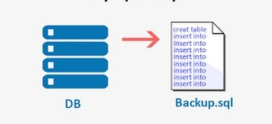
Cloud storage for backups is the practice of storing copies of your data on a remote, provider-managed storage platform so that a backup survives even when your primary systems fail. Instead of writing backups to the same server or a drive in the same building, you push them across the network to infrastructure that is physically and administratively separate from what you’re protecting.
The defining property is independence. Your website, your database, your application server, these all share fate. They sit in one account, often one data center, sometimes one disk array. Cloud backup storage deliberately breaks that shared fate. When ransomware encrypts a server or an engineer runs the wrong command, the offsite copy is untouched because it never lived where the damage happened.
If your applications already run on cloud infrastructure, backup storage is the resilience layer beneath them. For the wider architectural picture, see our Cloud Hosting and Containers: The Strategic Guide to Scalable Infrastructure, which sets the context this article builds on.
What is object storage, and why is it built for backups?
Object storage is a flat, scalable storage architecture that keeps data as discrete objects with their own metadata and unique identifiers, accessed over an API rather than a file path. It is the dominant model for cloud backups because it scales almost without limit, charges roughly by what you use, and is engineered for data you write often and read rarely, which describes backups exactly.
[IMAGE: Conceptual diagram of object storage buckets holding backup objects across multiple data centers – search “cloud data center storage servers”]
The most widely adopted interface is the Amazon S3 API, which is why you’ll constantly see the phrase S3-compatible storage. Amazon Web Services describes S3 as designed for 99.999999999 percent durability, eleven nines (AWS S3 documentation), by redundantly storing each object across multiple devices and facilities. Because the S3 API became a de facto standard, dozens of providers now speak it. A backup tool written for S3 works against many storage backends with a single config change.
That portability is a strategic advantage. You are not locked into one vendor’s proprietary protocol, and you can move or mirror backups between providers using the same tooling.
Citation capsule: Object storage is the backbone of cloud backups because it is built for scale and durability. Amazon S3, the model most providers emulate via S3-compatible APIs, is designed for 99.999999999 percent (eleven nines) durability by redundantly storing each object across multiple devices and facilities (AWS S3 documentation).
Object storage vs block and file storage
Object storage is one of three storage models, and the differences matter for backups. Block storage (the kind a virtual disk uses) is fast and low-level but tied to one machine. File storage (a shared network drive) organizes data in folders and is convenient for live files. Object storage trades the low-latency, edit-in-place behavior of those two for near-infinite scale, rich metadata, and built-in geographic redundancy, which is exactly the trade you want for backups you rarely touch but must never lose.
Cloud backup vs local backup vs sync: what’s the difference?
A cloud backup is a deliberate, versioned, offsite copy created for recovery; a sync service is a real-time mirror built for convenience, not protection. Confusing the two is one of the most common and most dangerous backup mistakes, because a sync folder will faithfully replicate a deletion or a ransomware encryption to every connected device within seconds.
The distinction is about intent. Backups exist to let you go *backward* in time to a known-good state. Sync exists to keep everything *identical* across devices right now. Local backups add speed and control but share physical fate with your premises. Here is how the three compare on the dimensions that decide whether you actually recover.
| Property | Cloud backup (object storage) | Local backup (disk/NAS) | Sync service |
|---|---|---|---|
| Primary purpose | Recovery from loss or corruption | Fast on-site recovery | Keep files identical across devices |
| Offsite by default | Yes | No | Yes (but mirrors damage) |
| Versioning / point-in-time restore | Yes (when configured) | Sometimes | Limited; mirrors changes |
| Survives ransomware on the source | Yes (with immutability/versioning) | Only if disconnected | No, encryption propagates |
| Scales without buying hardware | Yes | No, capped by hardware | Yes, but not for retention |
| Typical retrieval speed | Network-bound | Fast (LAN) | Instant for current state |
The pragmatic answer is not to pick one. It is to combine a fast local copy for everyday restores with a durable cloud copy for disaster, which is precisely what the 3-2-1 rule formalizes. For the broader plan around what to capture and how often, see our companion guide on building a .
What is the 3-2-1 backup rule, and where does cloud fit?
The 3-2-1 rule says to keep 3 copies of your data, on 2 different storage media, with 1 copy stored offsite. The U.S. Cybersecurity and Infrastructure Security Agency recommends this approach as a baseline for protecting against data loss (CISA, data backup guidance). Cloud storage is the most practical way to satisfy the offsite requirement without shipping physical drives around.
The rule has endured for decades because it defends against the way disasters actually happen, not the way we imagine them. A single copy can be silently corrupted. Two copies in one location both die when that location floods, burns, or gets compromised. The 3-2-1 structure guarantees that no single event can take out both your data and your means of recovering it.
[CHART: Simple three-column visual of the 3-2-1 rule – “3 copies / 2 media types / 1 offsite” – source: CISA data backup guidance]
| Element | What it means | How cloud storage satisfies it |
|---|---|---|
| 3 copies | The live data plus at least two backups | One backup on-site, one in cloud object storage, plus production |
| 2 media types | Don’t keep every copy on one kind of system | Local disk/NAS + cloud object storage are two distinct media |
| 1 offsite | At least one copy physically/logically separate | The cloud copy is offsite by definition |
A modern extension, sometimes called 3-2-1-1-0, adds one immutable or offline copy and zero errors after a verified restore test. Object storage supports the immutable part directly through object lock and versioning, which prevents a backup from being altered or deleted, even by a compromised admin account, until a retention window expires.
Citation capsule: The 3-2-1 backup rule, recommended by the U.S. Cybersecurity and Infrastructure Security Agency as a baseline against data loss, calls for three copies of data on two media types with one stored offsite (CISA). Cloud object storage is the most practical way to satisfy the offsite copy without handling physical media.
How do durability and redundancy actually work?
Durability is the probability that stored data survives over time; redundancy is the mechanism, multiple copies across devices and locations, that produces it. Leading object stores quote durability figures like eleven nines because they automatically replicate each object across several disks and facilities, so the loss of any one component does not lose your data.
It helps to separate two ideas people blur together. Durability answers “will my data still be there?” Availability answers “can I reach it right now?” A storage class can be extremely durable while being temporarily unavailable during an outage, and that distinction shapes how you design recovery. For backups, durability is non-negotiable; brief availability dips are tolerable because you restore occasionally, not constantly.
Redundancy comes in tiers, and they cost differently. Single-region redundancy replicates across devices and zones within one geographic region. Multi-region or geo-redundant storage replicates across regions, surviving the loss of an entire region at higher cost. For backups protecting a business, geo-redundancy or at least a second region for your most critical data is worth the premium.
[PERSONAL EXPERIENCE] In practice, the durability number on the marketing page is rarely what bites teams. The data was durably stored, intact, untouched, and the restore still failed. Why? The backup was incomplete (database captured, uploaded files missing), or the encryption key was lost, or retention had already aged out the version they needed. Durable storage protects the bytes you sent. It cannot protect you from sending the wrong bytes, too few of them, or losing the key to read them back.
How do you automate cloud backups (and control cost)?
You automate cloud backups by running a scheduled job that compresses, encrypts, deduplicates, and uploads your data to object storage on a fixed cadence, with no human in the loop. Removing the human is the single highest-impact reliability improvement you can make, because the most common cause of a missing backup is simply that someone forgot.
Two tools dominate self-managed cloud backups: restic and rclone. Restic specializes in encrypted, deduplicated, versioned snapshots to S3-compatible storage. Rclone is a versatile transfer engine that syncs and copies to dozens of cloud backends. A typical pattern uses one of them, driven by cron on Linux or a scheduled task on Windows. Here is a minimal restic example backing up a web directory and a database dump to an S3-compatible bucket.
# /etc/cron.daily/backup-site  (runs once per day)
export RESTIC_REPOSITORY="s3:https://s3.example.com/my-backups"
export RESTIC_PASSWORD_FILE="/root/.restic-pass"
export AWS_ACCESS_KEY_ID="..."
export AWS_SECRET_ACCESS_KEY="..."

# 1. Dump the database next to the files
mysqldump --single-transaction mydb > /var/www/db-dump.sql

# 2. Encrypted, deduplicated snapshot to object storage
restic backup /var/www

# 3. Keep 7 daily, 4 weekly, 6 monthly; prune the rest
restic forget --keep-daily 7 --keep-weekly 4 --keep-monthly 6 --prune
Cost control comes from three levers. Deduplication and compression shrink what you actually store, which restic does automatically. Retention and lifecycle rules delete or downgrade old snapshots so you don’t pay to keep every version forever. And storage classes plus retrieval awareness matter: archival tiers are cheap to store but can charge meaningfully to retrieve, so reserve them for long-term copies you rarely pull, and keep recent backups in standard storage for fast recovery.
[UNIQUE INSIGHT] The metric that should drive your storage-class choice is not price per gigabyte, it’s your recovery time objective. If a tier saves you money but adds hours of retrieval delay during an outage, you have not saved money; you have borrowed it against your worst day, at a brutal interest rate. Price the retrieval, not just the storage.
How do you choose a cloud backup storage service?
Choose a backup storage service on durability, redundancy options, retrieval cost, and S3 compatibility, in that order, before you compare headline storage prices. The cheapest gigabyte is irrelevant if you can’t restore quickly, can’t trust the durability, or get locked into a proprietary API you can never leave.
Work through a short, ordered checklist:
- Durability and redundancy. Look for published durability figures and clear single-region versus multi-region options. Confirm how and where copies are replicated.
- S3-compatible API. Compatibility keeps your tooling portable and your exit door open, so you’re never hostage to one vendor.
- Immutability and versioning. Object lock and version history are your defense against ransomware and accidental deletion. Make sure they’re supported.
- Retrieval cost and speed. Read the egress and retrieval fees carefully, especially on archival tiers. Model a full restore, not just storage.
- Encryption. Confirm encryption at rest and that you can hold your own encryption keys for client-side encryption.
- Predictable pricing. Watch for per-request fees and egress charges that make a cheap-looking tier expensive to actually use.
The provider you pick is, in effect, the insurer of last resort for your business data. Judge it the way you’d judge an insurer: by whether it pays out reliably when you finally need it, not by the monthly premium. For the underlying platform that storage runs on, our overview of choosing a covers the wider evaluation, and for high-performance shared storage architectures see .
How DarazHost handles cloud backups and storage
At DarazHost, we treat backups as part of the foundation, not an upsell. Hosting accounts include automatic backups that capture your files and database together and keep an independent copy off your primary server, so a hack, a bad update, or an honest mistake stays recoverable rather than fatal. For teams that want to run their own backup tooling, our cloud infrastructure pairs cleanly with S3-compatible object storage and restic or rclone workflows, so you can build a proper 3-2-1 setup with one copy close for speed and one copy offsite for survival. And because durable storage only matters if you can actually restore from it, our 24/7 support team is there to help you recover fast when it counts.
Frequently asked questions
Is cloud storage safe for backups? Yes, when configured properly. Leading object storage platforms are engineered for very high durability by replicating each object across multiple devices and facilities, with some advertising eleven nines of durability. Safety also depends on your side: enable encryption, turn on versioning or object lock against ransomware, and verify backups with periodic restore tests. Durable storage protects the data you send; you’re responsible for sending complete, encrypted, current copies.
What’s the difference between object storage and a sync service like a shared drive? Object storage is built for backups: it stores versioned, write-once data over an API and is designed for durability at scale. A sync service keeps files identical across devices in real time, which means it faithfully replicates deletions and ransomware encryption to every copy almost instantly. Sync is for convenience and current-state access; object storage backups are for recovering a past, known-good version after something goes wrong.
Does cloud backup replace local backup? No, the two do different jobs, which is exactly why the 3-2-1 rule asks for both. A local backup gives you fast restores over your own network and full control on-site, but it shares physical fate with your premises. A cloud backup is offsite by default and survives local disasters, but restores are network-bound. Combine them: local for everyday speed, cloud for genuine disaster recovery.
What does S3-compatible mean and why does it matter? S3-compatible means a storage service speaks the same API that Amazon S3 popularized, so tools written for S3 work against it with only a configuration change. It matters because it keeps your backups portable: you can switch providers, or mirror data across several, using identical tooling. That portability protects you from vendor lock-in and makes a multi-provider 3-2-1 strategy practical.
How often should backups run to cloud storage? Match the cadence to how fast your data changes and how much you can afford to lose, your recovery point objective. A busy store or transactional database may need hourly or continuous backups, an active site daily, and a rarely-changing site weekly. Pair frequency with sensible retention, for example keeping daily snapshots for a month, so you can roll back past a problem that went unnoticed.