LiveChat
  Support
WordPress Security: How to Protect Your Site (Without the Panic)
If you run a WordPress site, you have probably read a scary headline or two about hacks, malware, and breaches. Take a breath. WordPress security is far more manageable than the internet makes it sound, and most of the work comes down to a handful of habits rather than a fortress of complicated tools.
The truth is that WordPress powers a huge share of the web, which makes it a large and visible target. But being a target is not the same as being weak. Once you understand where real WordPress vulnerabilities come from, you can close the doors that actually matter and stop worrying about the ones that do not. This guide walks you through exactly that, calmly and in plain language.
Key Takeaways
• WordPress is targeted because of its popularity, not because the software is inherently insecure.
• The overwhelming majority of hacks trace back to outdated or poorly-coded plugins and themes, not WordPress core itself.
• The single highest-impact security habit is ruthless update discipline plus running fewer plugins.
• Strong passwords, two-factor authentication, and login limits stop the most common automated attacks.
• Regular backups are your recovery net: they turn a disaster into an inconvenience.
• Secure hosting handles many layers of protection before you install a single plugin.
Why is WordPress such a popular target for attackers?
It helps to start with the right mental model. WordPress runs a very large portion of all websites in the world. When a platform is that widespread, it becomes the most efficient thing for attackers to focus on. If someone writes a single automated script that probes for a common WordPress weakness, they can point it at millions of sites at once.
So when you hear that WordPress is “constantly attacked,” that is mostly a statement about scale, not about quality. A small shop with a custom-coded website gets fewer attacks simply because almost nobody is writing automated tools to target it. WordPress attracts attention the way a busy high street attracts pickpockets: the crowd is the reason, not the architecture of the buildings.
The reassuring part is that this also means the solutions are well-understood. Millions of site owners face the same handful of risks, which is why the security advice is consistent and proven. You are not solving a novel problem. You are following a well-mapped path.
Where do WordPress vulnerabilities actually come from?
Most people assume hacks come from some sophisticated flaw deep inside WordPress. In reality, the common sources are far more ordinary, and almost all of them are within your control. Here is where the real risk lives.
| Source of risk | How common | What it really means |
|---|---|---|
| Outdated core, plugins, or themes | The #1 source by far | Known holes that already have fixes, left unpatched |
| Weak passwords and brute-force attempts | Very common | Automated bots guessing logins around the clock |
| Nulled or pirated plugins and themes | Common, often hidden | “Free” premium software frequently ships with backdoors |
| Poor or shared hosting | Underrated | Weak server isolation lets one bad site affect others |
| No SSL / HTTPS | Common on older sites | Data and logins travel unencrypted; trust signals are lost |
Notice the pattern. None of these are exotic. They are everyday gaps left open through habit or convenience. The biggest one, by a wide margin, is simply running software that has not been updated. Attackers do not need to discover a brand-new weakness when so many sites leave already-known ones unpatched for months.
This is the heart of practical WordPress hardening: you are not building defenses against genius hackers. You are closing the ordinary doors that automated tools rattle every single day.
What is the essential WordPress security checklist?
Here is the calm, prioritized version of everything that matters. You do not need to do all of it tomorrow, but the items near the top deliver the most protection for the least effort.
| Priority | Action | Why it matters |
|---|---|---|
| 1 | Keep core, plugins, and themes updated | Closes the door attackers use most |
| 2 | Strong passwords + 2FA + limit login attempts | Stops automated brute-force guessing |
| 3 | Use few, reputable plugins only | Less software means less attack surface |
| 4 | Enable SSL / HTTPS everywhere | Encrypts data and protects logins |
| 5 | Choose secure hosting with a firewall and malware scanning | Blocks threats before they reach WordPress |
| 6 | Run regular automatic backups | Your recovery net if anything goes wrong |
| 7 | Secure wp-config and file permissions | Locks down your most sensitive files |
| 8 | Hide or limit access to the login page | Reduces the noise bots can target |
| 9 | Disable the in-dashboard file editor | Prevents quick damage if an account is breached |
| 10 | Add a reputable security plugin | A helpful safety layer, not the foundation |
Let me walk through the parts that deserve a little more explanation, because understanding the “why” is what makes these habits stick.
Keep everything updated. This is the single biggest win in all of WordPress security best practices. Updates are not just new features; they are the patches that close known holes. Turning on automatic updates for core, and updating plugins and themes promptly, prevents more hacks than anything else you can do.
Lock down your login. Most attacks against WordPress are automated attempts to guess your password. A strong, unique password defeats almost all of them. Adding two-factor authentication and limiting login attempts closes the gap entirely. If you want a deeper walkthrough of protecting the door everyone tries first, see .
Be deliberate about plugins. Every plugin you install is more code that could contain a flaw. Stick to reputable, actively-maintained plugins, and remove anything you are not using. Fewer plugins is genuinely more secure.
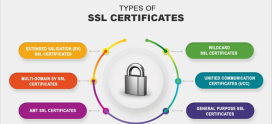
Turn on SSL. HTTPS encrypts the connection between your visitors and your site, protecting passwords and form data, and it has become a baseline trust and ranking signal. If you have not made the switch, our guide on covers it step by step.
Protect the server layer. A firewall and malware scanning at the hosting level stop many threats before WordPress ever sees them. This is where good hosting quietly does a lot of the heavy lifting. For the broader picture, see .
What is the uncomfortable truth most WordPress security advice gets wrong?
Here is the insight that reorders the entire priority list once you accept it: WordPress core itself is quite secure and rapidly patched. A large, active security team maintains it, and serious flaws are fixed quickly and pushed out through automatic updates. The core software is rarely the way sites get hacked.
The overwhelming majority of compromised WordPress sites are breached through outdated or poorly-coded plugins and themes — the third-party add-ons, not WordPress itself. That single fact should change how you think about protecting your site.
Because here is what it means in practice: the highest-impact security action is not installing a security plugin. It is ruthless update discipline combined with plugin minimalism. Every plugin you add is more attack surface. Every plugin you fail to update is an open door. Run the fewest plugins you genuinely need, install them only from reputable sources, and update everything promptly.
That one habit prevents more WordPress hacks than any firewall or scanner, because it closes the exact door attackers actually walk through. Security plugins and firewalls are useful, but they are the alarm system. Updates and restraint are the locked door. Most people invest in the alarm and leave the door open. Reverse that, and you are already ahead of the vast majority of sites.
Why are plugins and themes the real weak point?
Let me put a finer point on this, because it is where most people go wrong. When a site is hacked, the investigation usually ends at the same place: a plugin or theme that was either out of date or never trustworthy in the first place.
There are two specific traps worth naming. The first is the abandoned plugin — something you installed years ago that the developer stopped maintaining. It still works, so you forget about it, but it no longer receives security fixes. The second is the nulled or pirated plugin, where someone offers a paid premium plugin for free. That “free” version is frequently modified to include hidden backdoors, and installing it is like handing someone a key to your site.
The fix for both is simple and calming once it becomes routine. Audit your plugins occasionally. Remove anything you are not actively using. Replace abandoned plugins with maintained alternatives. And never, ever install nulled software, no matter how tempting the savings look. A genuinely free or affordable plugin from a reputable source is always the safer choice.
How do backups protect you when something goes wrong?
No security setup is perfect, and a calm approach to secure WordPress management accepts that. This is exactly why backups matter so much: they convert a worst-case scenario into a recoverable one.
If your site is ever defaced, infected, or broken by a bad update, a recent clean backup lets you roll back to a known-good version in minutes. Without one, recovery can mean rebuilding from scratch. With one, it is an inconvenience rather than a catastrophe.
The key details are simple. Back up regularly and automatically, so you are never relying on remembering to do it. Store backups separately from your live site, so a compromise of the site does not take the backups with it. And occasionally confirm that a backup actually restores, because an untested backup is only a hope. For a fuller approach to getting this right, see .
What should you do if your WordPress site is hacked?
If it does happen, do not panic, and do not start deleting things at random. A clear sequence keeps the situation under control.
First, take the site offline or into maintenance mode to stop visitors from being affected. Second, change all passwords: WordPress admin accounts, hosting, and database. Third, scan for malware and identify what was changed, using your hosting tools or a reputable scanner. Fourth, restore from a clean backup taken before the compromise, if you have one. Finally, find the entry point — usually an outdated or shady plugin — and close it, then update everything so it cannot happen again.
If any step feels beyond your comfort level, this is exactly the moment to lean on your host’s support team. A good hosting provider deals with these situations routinely and can guide you through cleanup calmly.
How DarazHost handles WordPress security for you
A lot of what we have discussed is meant to be handled before you ever touch a plugin, and that is exactly the philosophy behind hosting WordPress with DarazHost. We secure your site across multiple layers: server and network firewalls that filter threats before they reach WordPress, active malware scanning, free SSL on every site, and automatic backups so you can recover from any incident in minutes. The platform itself is hardened and continuously monitored.
That means much of your WordPress hardening is already done for you the moment your site goes live. Combined with 24/7 support from people who handle security situations every day, secure WordPress hosting with DarazHost lets you focus on your site while the heavy lifting happens quietly in the background.
This article is part of our larger guide. For the full picture on speed, security, and ongoing care, read the complete guide to WordPress hosting.
Frequently asked questions about WordPress security
Do I really need a security plugin if my hosting is secure? A reputable security plugin is a helpful extra layer, but it is not the foundation. If your hosting provides firewalls and malware scanning, much of that work is already covered. Your highest priorities should always be keeping everything updated and running fewer, trustworthy plugins. A security plugin complements those habits; it does not replace them.
How often should I update WordPress and my plugins? As promptly as you reasonably can. Enabling automatic updates for core is wise, and you should review and apply plugin and theme updates regularly rather than letting them pile up. Prompt updating is the single most effective thing you can do to prevent a hack, because most attacks target weaknesses that already have a fix available.
Is WordPress less secure than other website platforms? Not inherently. WordPress core is well-maintained and quickly patched. It simply receives far more attacks because it powers so many sites, which makes it a bigger target. A well-maintained WordPress site, kept updated and on secure hosting, is as safe as any comparable platform.
Are free or nulled premium plugins safe to use? Free plugins from reputable, official sources are fine and widely used. “Nulled” or pirated versions of paid plugins are not. They are frequently modified to include hidden backdoors, and installing one is one of the easiest ways to compromise your own site. Always get plugins from trustworthy sources.
What is the very first thing I should do to secure a new site? Set a strong, unique admin password and enable automatic updates for WordPress core. Those two steps alone defend against the most common automated attacks. From there, add SSL, two-factor authentication, and regular backups to round out a solid foundation.