LiveChat
  Support
What Makes a VPS Private? Isolation, Dedicated Resources & Privacy Explained
The word “private” sits in the middle of Virtual Private Server, yet it is the part most buyers gloss over. They focus on the price, the RAM number, or the location of the data center, and treat “private” as marketing filler. It is not. The “private” in a private VPS describes a specific technical guarantee: your server runs in an isolated, walled-off environment with resources reserved for you alone — not borrowed from, or contended with, anyone else on the physical machine.
This guide breaks down exactly what that privacy means at the hypervisor level, why it changes how your applications behave, and when the move from shared hosting to a private VPS becomes worth it.
Key Takeaways
• “Private” means isolation: each VPS is a self-contained virtualized environment created by a hypervisor (commonly KVM), separated from every other tenant on the same hardware.
• Resources are dedicated, not shared: your allocated RAM and CPU are reserved for you, so a neighbor’s traffic spike does not drain your capacity.
• You get root/full control: a private environment means you install, configure, and secure the OS exactly as you choose.
• Privacy reduces cross-tenant risk: isolation shrinks the “noisy neighbor” and cross-tenant security surface that shared hosting exposes you to.
• You need a private VPS when you outgrow shared hosting and require consistent performance, control, or data isolation.
What does “private” actually mean in a Virtual Private Server?
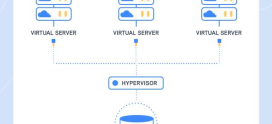
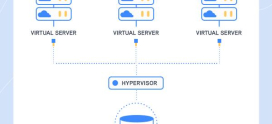
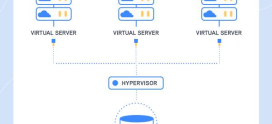
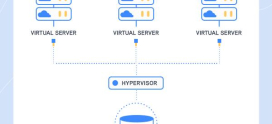
On a physical server, hosting providers run virtualization software called a hypervisor. The hypervisor partitions one powerful physical machine into multiple independent virtual servers. Each of those virtual servers is *private* because it behaves as though it were a standalone computer: it has its own operating system, its own kernel, its own allocated memory, and its own slice of CPU.
The key word is isolation. A modern hypervisor such as KVM (Kernel-based Virtual Machine) enforces hardware-level separation between guests. Your VPS cannot read another customer’s memory, see their processes, or reach into their filesystem — and they cannot reach into yours. That boundary is what makes the server “private” rather than merely “virtual.”
This is the structural difference from shared hosting. On shared hosting, hundreds of accounts live inside a single operating system, separated only by user permissions and software-level limits. There is no private kernel and no guaranteed wall between tenants — just a shared house with locked bedroom doors. A private VPS gives each tenant their own house.
How does hypervisor isolation create a private environment?
Virtualization isolation works on several layers at once, and each layer contributes to the “private” guarantee:
- Kernel isolation: with full virtualization like KVM, your VPS boots its own kernel. You are not sharing the host’s operating system, so OS-level configuration is entirely yours.
- Memory isolation: the hypervisor maps a fixed region of physical RAM to your VPS. Other guests physically cannot address that memory.
- Process isolation: processes inside your VPS are invisible to other tenants. There is no shared process table.
- Filesystem isolation: your disk volume is a separate virtual block device, not a folder inside someone else’s directory tree.
- Network isolation: each VPS has its own network interface and IP configuration, and many providers offer private networking (an internal, non-public network segment) so your servers can talk to each other without traversing the public internet.
Because these boundaries are enforced below the operating system, the isolation is far stronger than the permission-based separation used on shared plans. This is the technical backbone of why a private VPS is considered a genuinely private environment.
The most overlooked meaning of “private” is performance privacy. On shared hosting, your resources are a *shared pool*: if a neighboring site gets a traffic surge, runs a heavy database query, or gets attacked, the host’s CPU and memory get drained — and your site slows down even though you did nothing wrong. This is the “noisy neighbor” problem. A private VPS walls you off from that. Your guaranteed RAM and CPU are yours regardless of what anyone else on the hardware does. “Private” is not only about who can *see* your data; it is about who can *steal your performance*. Isolation protects both.
Why do dedicated resources matter more than the raw numbers?
Two plans can both advertise “4 GB RAM,” but the word in front of it changes everything.
On shared hosting, advertised limits are often *bursting* allowances against a contended pool. You may be allowed to touch 4 GB, but only if the neighbors are not already using it. On a private VPS, dedicated resources mean that allocation is reserved and guaranteed. The memory is yours whether you use it or not, and no other tenant can consume it.
This guarantee is what produces consistent performance. Your application’s response times do not swing based on what else is happening on the box. For databases, application servers, or anything latency-sensitive, predictability often matters more than peak capacity. A private VPS trades the gamble of a shared pool for the certainty of reserved capacity.
How does a private VPS improve data privacy and security?
Privacy in a VPS context has two dimensions: performance privacy (covered above) and data privacy.
Isolation reduces what security professionals call the cross-tenant attack surface. On shared hosting, a vulnerability in one poorly maintained account can, in some configurations, become a stepping stone toward others on the same system, because everyone shares one OS. A private VPS removes that shared OS. Even if a neighboring VPS is fully compromised, the hypervisor boundary stands between their environment and yours.
A private environment also gives you control over your own security posture. You decide the firewall rules, the SSH configuration, the patch schedule, and which services run at all. You are not inheriting another administrator’s choices. For workloads that handle sensitive data — user records, payment flows, internal tools — that root-level control over your own isolated stack is frequently a compliance and privacy requirement, not a luxury. For a deeper walkthrough of hardening, see .
What can you control with root access on a private VPS?
Because the environment is private and isolated, the provider can safely hand you root (full administrative) access. On shared hosting this is impossible — root would let one tenant affect everyone. On a private VPS, root only affects *your* walled-off environment.
With root/full control you can:
- Install any software stack — a specific OS distribution, custom web server, database engine, language runtime, or containers.
- Configure the OS down to kernel parameters, networking, and system services.
- Set your own security policy — firewalls, intrusion detection, SSH keys, fail2ban, and patch cadence.
- Run background services and cron jobs without the restrictions shared hosts impose.
- Tune for your workload rather than accepting a one-size-fits-all configuration.
This control is the practical payoff of privacy: an isolated environment is one you are trusted to own completely. If you are still weighing whether you have outgrown your current plan, compares the two in detail.
Private VPS vs shared hosting vs dedicated server
The three tiers differ primarily in *how private and how isolated* your environment is.
| Dimension | Shared hosting | Private VPS | Dedicated server |
|---|---|---|---|
| Isolation | Software permissions only; one shared OS | Hypervisor-level; own kernel & OS | Full physical isolation |
| Resources | Shared pool, contended | Dedicated & guaranteed (your slice) | Entire physical machine |
| Noisy neighbor risk | High | Removed by isolation | None |
| Root / full control | No | Yes | Yes |
| Data privacy | Cross-tenant surface via shared OS | Strong tenant isolation | Single-tenant hardware |
| Private networking | Rarely | Commonly available | Available |
| Typical cost | Lowest | Mid-range | Highest |
| Best for | Small static sites, low traffic | Growing apps needing control & consistency | Heavy, single-tenant workloads |
A private VPS is the middle ground that captures most of the privacy and control benefits of a dedicated server at a fraction of the cost, by sharing hardware *physically* while keeping each tenant *logically* isolated.
When do you actually need a private VPS?
You have likely outgrown shared hosting and need a private VPS when:
- Your site or app suffers inconsistent performance that correlates with no change on your end — a classic noisy-neighbor symptom.
- You need to install or configure software the shared host forbids.
- You require root access for custom services, runtimes, or container workloads.
- You handle sensitive data and need genuine tenant isolation for privacy or compliance.
- You want private networking between multiple servers.
- You need guaranteed resources so capacity planning is predictable.
If two or more of these apply, the privacy and isolation of a VPS are no longer optional — they are the thing you are actually paying for. To compare specific offerings, is a useful next step.
Get a true private VPS with DarazHost
If you need a genuinely isolated, private environment rather than a shared pool dressed up as one, DarazHost Linux SSD VPS is built for exactly that. Every plan runs as a true private virtualized environment with guaranteed dedicated resources, full root access, and hypervisor-level isolation — so a neighbor’s traffic spike never becomes your problem.
- Private & isolated — your own kernel, your own walled-off environment, no noisy neighbors.
- Guaranteed resources — dedicated RAM and CPU reserved for you, for consistent performance.
- Full root control — install anything, configure everything, own your security posture.
- Fast SSD storage and a 99.9% uptime commitment.
- 24/7 support from real engineers, plus tiers from Bronze through Titan to match your workload as it grows.
Whether you are migrating off shared hosting or standing up a new isolated stack, DarazHost gives you the privacy and control a VPS is supposed to mean.
Frequently asked questions
What does the “private” in Virtual Private Server mean? It means your server runs in an isolated, dedicated environment created by a hypervisor. Your VPS has its own operating system, kernel, memory, and disk, separated at the hardware-virtualization level from every other tenant on the same physical machine. Nobody else can see into your environment or consume your reserved resources.
Is a private VPS more secure than shared hosting? Generally, yes — primarily because of isolation. Shared hosting places many accounts inside one operating system, creating a cross-tenant attack surface. A private VPS gives each tenant a separate, hypervisor-isolated environment, plus root control over your own firewall, patching, and security configuration.
Are VPS resources really dedicated, or still shared? On a properly provisioned private VPS, your allocated RAM and CPU are dedicated and guaranteed — reserved for you regardless of what other tenants do. This differs from shared hosting, where advertised limits draw from a contended pool that neighbors can exhaust.
What is the “noisy neighbor” problem and does a private VPS fix it? The noisy neighbor problem is when another customer’s traffic spike or heavy process drains shared resources and slows down your site. A private VPS fixes it by isolating you: because your resources are dedicated and walled off, another tenant’s behavior cannot affect your performance.
Do I get root access on a private VPS? Yes. Because your environment is isolated, the provider can safely grant full root/administrative access. That lets you install any software, configure the OS, and manage your own security without affecting — or being affected by — other tenants.