LiveChat
  Support
Virtualmin: The Complete Guide to the Free Open-Source Control Panel
Managing a web server from the command line is powerful, but it is not for everyone. Most administrators want a graphical interface to handle domains, email, DNS, and databases without memorizing dozens of configuration files. Virtualmin is one of the most capable answers to that problem, and it carries a distinct advantage over the commercial alternatives: a fully featured edition that is free and open-source.
This guide explains what Virtualmin is, how it relates to Webmin, the difference between the free and Pro editions, its core features, and how it stacks up against commercial panels. By the end, you will know whether Virtualmin is the right fit for your self-managed server and how to install it.
Key Takeaways
• Virtualmin is a free, open-source web hosting control panel built on top of Webmin for managing domains, email, DNS, databases, and more.
• The GPL edition is genuinely free with no per-account licensing fees; Virtualmin Pro adds commercial support and extra features.
• It is the leading free alternative to cPanel for VPS and dedicated server owners who want full control without recurring license costs.
• Installation is straightforward on a fresh VPS using the official install script, and the panel handles SSL, backups, and one-click application deployment.
What is Virtualmin?
Virtualmin is a web hosting control panel that lets you manage an entire server through a browser-based interface. Rather than editing Apache or Nginx configuration files, BIND zone files, and Postfix settings by hand, you create and manage virtual servers (the Virtualmin term for a hosted domain and all its associated services) through structured forms and dashboards.
A single virtual server typically bundles together everything a website needs:
- A domain or subdomain with its own document root
- Email accounts and aliases for that domain
- DNS zone records managed automatically
- One or more databases (MySQL/MariaDB or PostgreSQL)
- SSL/TLS certificates, including free Let’s Encrypt certificates
- Optional FTP access, spam filtering, and application installs
Because Virtualmin sits on top of standard Linux services rather than replacing them, the underlying stack remains transparent. An administrator who understands Apache or Postfix can still drop to the command line at any time without fighting the panel.
Virtualmin vs Webmin: what is the difference?
This is the most common point of confusion for newcomers. Webmin is a general-purpose, web-based system administration tool. It provides a graphical front end for nearly every aspect of a Linux or Unix server: users and groups, firewall rules, scheduled jobs, package management, network configuration, and service control. Webmin is broad but not specialized for web hosting.
Virtualmin is a module (and a substantial one) that runs *inside* Webmin. It adds the hosting-specific layer: the concept of virtual servers, multi-tenant account management, reseller accounts, and the workflows a hosting provider or agency needs. In short, Webmin manages the server; Virtualmin manages the hosting on that server. When you install Virtualmin, Webmin is installed as part of the package, so you get both.
What are the free and Pro editions of Virtualmin?
Virtualmin ships in two editions, and understanding the split matters before you commit.
The Virtualmin GPL edition is the free, open-source version released under the GNU General Public License. It is not a crippled trial. It includes virtual server management, email, DNS, databases, SSL automation, backups, and the core feature set that the vast majority of users need. For most VPS owners, hobbyists, and even small agencies, the GPL edition is fully sufficient.
Virtualmin Pro is the paid, commercially supported edition. It layers additional capabilities on top of the GPL base, including a more advanced Install Scripts library for one-click applications, command-line API extensions, reseller and account management refinements, mailbox migration tooling, and—critically for businesses—official commercial support. The Pro license is priced per server rather than per hosted account, which keeps costs predictable as you scale.
The strategic point that is easy to miss: Virtualmin is the leading free alternative to cPanel for self-managed servers, and the difference is the licensing model. Commercial panels typically charge based on the number of accounts or servers, so costs climb as your hosting footprint grows. Virtualmin GPL has no per-account licensing cost at all. For a VPS owner running ten, fifty, or a few hundred domains, that structural difference can mean the panel pays for itself simply by existing—the only cost is the server it runs on. That economic profile is exactly why Virtualmin is so popular among independent VPS owners and developers who manage their own infrastructure.
What are the key features of Virtualmin?
Virtualmin’s feature set rivals commercial panels in breadth. The highlights include:
Virtual server management
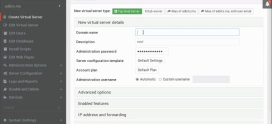
The core function. You create a virtual server for each domain and manage its lifecycle—creation, suspension, modification, and deletion—from one place. Templates let you define standard configurations so every new account is provisioned consistently. Reseller accounts allow you to delegate a slice of server resources to another user who can manage their own clients.
One-click application installs
Through its Install Scripts system, Virtualmin can deploy popular web applications—content management systems, forums, e-commerce platforms, and frameworks—without manual setup. It handles the database creation, file extraction, and initial configuration for you.
Backups and restores
Virtualmin includes a robust backup engine. You can schedule full or incremental backups of virtual servers, store them locally or push them to remote destinations such as SSH, FTP, or cloud object storage, and restore individual accounts or the entire server. Reliable, scheduled backups are one of the panel’s strongest practical features.
Email, DNS, and databases
Each virtual server gets fully managed email (mailboxes, aliases, autoresponders, and spam/virus filtering via integrated tools), automatic DNS zone management through BIND, and on-demand database provisioning for MySQL/MariaDB and PostgreSQL.
SSL and Let’s Encrypt
Virtualmin integrates Let’s Encrypt directly, so you can issue and auto-renew free SSL certificates for any domain with a couple of clicks. This makes serving sites over HTTPS effortless and removes a recurring manual chore.
How does Virtualmin compare to cPanel and Plesk?
The honest answer is that cPanel and Plesk are more polished, commercially backed products with large support organizations and refined user interfaces—and you pay for that. Virtualmin trades some interface polish for zero licensing cost and complete openness. The table below summarizes the practical trade-offs.
| Factor | Virtualmin | cPanel | Plesk |
|---|---|---|---|
| License model | Free GPL edition; optional paid Pro | Commercial, subscription | Commercial, subscription |
| Per-account cost | None | Tiered by account count | Tiered by account count |
| Source | Open-source | Proprietary | Proprietary |
| Best for | Self-managed VPS, developers, agencies | Managed/shared hosting | Windows and Linux hosting |
| OS support | Linux/Unix | Linux | Linux and Windows |
| Interface polish | Functional, dense | Highly polished | Highly polished |
| Learning curve | Moderate | Gentle | Gentle |
| Self-hosting friendliness | Excellent | Good | Good |
If you want a turnkey, hand-holding experience and do not mind recurring fees, a commercial panel makes sense. If you are comfortable administering a server and want to eliminate license costs while keeping full control, Virtualmin is the stronger choice.
What are the system requirements for Virtualmin?
Virtualmin is designed to run on a fresh, minimal server install—this is important. The installer expects a clean OS without a pre-existing web stack, because it will configure Apache or Nginx, the mail server, DNS, and databases itself. Installing onto a server that already has these services configured frequently causes conflicts.
General requirements:
- A supported Linux distribution (common choices include recent releases of major RPM-based and Debian-based distributions). Always check Virtualmin’s official documentation for the current supported list.
- Root access to the server—essential, which is why a VPS or dedicated server is required rather than shared hosting.
- A reasonable amount of RAM. A small VPS can run Virtualmin, but more memory improves performance, especially with mail filtering and multiple busy sites. A couple of gigabytes is a comfortable starting point.
- Adequate disk space for your sites, databases, email, and backups.
- A fully qualified hostname set correctly before installation.
How do you install Virtualmin?
One of Virtualmin’s biggest strengths is its installer. On a fresh VPS, the process is largely automated.
- Provision a fresh VPS with a supported, minimal OS image and obtain root access.
- Set the hostname to a fully qualified domain name and ensure DNS for that hostname resolves.
- Download the official install script from Virtualmin’s website. The script detects your distribution and installs all required packages.
- Run the script as root. It will install and configure Webmin, Virtualmin, the web server, mail stack, DNS, and database servers automatically. This step can take several minutes.
- Log in to the Webmin/Virtualmin interface in your browser (typically on port 10000), then run the post-installation wizard, which tunes memory settings, configures DNS and mail options, and sets a database password.
After the wizard completes, you can create your first virtual server. Because the script does the heavy lifting, even administrators new to a particular distribution can get a working hosting environment running quickly. Always download the installer from the official source and verify it before executing.
Who is Virtualmin best suited for?
Virtualmin shines for specific audiences:
- Developers who run their own VPS and want a graphical layer over a standard Linux stack without giving up command-line access.
- Self-hosters who manage personal projects, side businesses, or family domains and do not want to pay recurring panel fees.
- Agencies and freelancers who host client sites and benefit from reseller accounts, templates, and consolidated backups—while keeping costs flat as the client list grows.
- Cost-conscious VPS owners for whom eliminating per-account licensing is a meaningful saving.
It is a less natural fit if you specifically need a vendor-managed, fully supported turnkey panel and prefer to pay for that assurance, or if you want a panel preinstalled and maintained by your host on a shared plan.
Run Virtualmin on DarazHost infrastructure
Virtualmin needs a server with root access, which means a VPS or dedicated server rather than shared hosting. DarazHost provides exactly that: reliable, performance-focused VPS and dedicated server plans with full root access, so you can install Virtualmin (or Webmin alone) and manage your domains, email, and databases on your own terms. Our infrastructure is built for uptime, and our 24/7 support team is available if you need a hand with provisioning or networking.
Prefer not to manage the panel yourself? DarazHost also offers cPanel-based hosting for those who want a polished, managed experience out of the box. Whether you want the freedom of a self-managed open-source stack or the convenience of a managed control panel, there is a plan that fits.
Frequently asked questions
Is Virtualmin really free? Yes. The Virtualmin GPL edition is fully free and open-source under the GNU General Public License, with no per-account licensing cost. It includes the core hosting feature set. Virtualmin Pro is a separate paid edition that adds extra features and official commercial support.
Do I need Webmin to use Virtualmin? Yes, but you do not install it separately. Virtualmin runs as a module inside Webmin, and the Virtualmin installer sets up Webmin automatically. You manage both from the same interface.
Can I run Virtualmin on shared hosting? No. Virtualmin requires root access to configure and control system services, so you need a VPS or dedicated server. Shared hosting plans do not grant the necessary privileges.
Does Virtualmin support free SSL certificates? Yes. Virtualmin integrates Let’s Encrypt, allowing you to issue and automatically renew free SSL/TLS certificates for your domains directly from the panel.
Is Virtualmin a good alternative to cPanel? For self-managed servers, yes. Virtualmin offers comparable core functionality at no licensing cost, making it the leading free alternative to cPanel for VPS and dedicated server owners. Commercial panels remain more polished and vendor-supported, which some users prefer.