LiveChat
  Support
The .bio Domain Explained: A Smarter Home for Your Link-in-Bio Page
Your name in a link is doing more work than you think. When someone taps a link in a social profile, the domain they land on is the first signal of who you are and how seriously you take your work. A .bio domain answers that signal directly: it reads as the word “bio,” which makes it a natural fit for biographies, personal brands, creators, and the increasingly popular “link in bio” page that consolidates everything you share.
This guide covers two related ideas. First, the .bio top-level domain itself: what it is, who it suits, and how to think about it. Second, the bigger strategic question: why using *your own* custom domain for a link-in-bio page beats relying on a free service’s branded URL.
Key Takeaways
• .bio is a generic top-level domain (gTLD) that reads as the word “bio,” making it brandable for personal sites, creators, biographies, and biology- or organic-themed businesses.
• As a newer gTLD, .bio is treated like any other generic extension for SEO — it carries no geographic targeting and no inherent ranking advantage or penalty.
• Owning yourname.bio or yourname.com for your link-in-bio page gives you control, professionalism, and portability that a free service subdomain cannot.
• You can host a simple one-page bio/link hub on your own domain with lightweight hosting and free SSL.
What is a .bio domain?
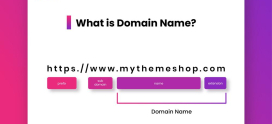
A .bio domain is a generic top-level domain — the part that appears after the dot in a web address, like `.com`, `.net`, or `.org`. The string “bio” is what makes it interesting. Because it spells a real, widely understood word, the extension itself becomes part of the message. yourname.bio reads almost like a sentence: this is the page about *you*.
Like most newer gTLDs, .bio is open for general registration. You do not need to prove you are a biologist or run a biography service to register one. That openness is what makes it flexible enough to serve several distinct audiences.
Who is a .bio domain good for?
The word “bio” pulls in a few directions at once, and each maps to a different use case:
- Personal brands and creators — A photographer, writer, musician, or coach can use firstnamelastname.bio as a clean, memorable home base.
- Biographies and personal sites — Anyone publishing an “about me” page, portfolio, or CV finds the extension self-explanatory.
- Link-in-bio hubs — Because social platforms literally label the field “bio,” a .bio address is intuitive shorthand for the link you place there.
- Biology and organic businesses — Labs, supplement brands, skincare lines, and eco or organic companies can lean on “bio” in its scientific and natural-products sense.
The common thread is recognizability. A visitor who sees .bio immediately forms a reasonable guess about what the page contains, and that reduces friction before they even click.
Is a .bio domain good for SEO?
Short answer: a .bio domain is neither better nor worse for SEO than a .com, and you should treat it like any other generic extension.
Search engines have repeatedly indicated that newer gTLDs receive no inherent ranking boost and no penalty simply for their extension. What matters for visibility is the same set of fundamentals that always have: relevant content, a fast and secure site, a sensible structure, and links from trustworthy sources.
A few practical points worth understanding:
- .bio is generic, not geographic. Unlike a country-code domain such as `.pk` or `.de`, a .bio address sends no signal that your site targets a particular country. For a personal brand or creator with a global audience, that neutrality is usually an advantage.
- Keyword-in-extension is not a ranking factor. The “bio” in your extension will not, by itself, rank you for searches about biology or biographies. Treat the word as a *branding* benefit, not a *search* shortcut.
- Brand recall can indirectly help. A memorable address earns more direct visits and word-of-mouth, and engaged repeat visitors are exactly the kind of signal search engines value.
In other words, choose .bio because it fits your name and message, then earn rankings the normal way.
Why own your own domain for a link-in-bio page?
Here is the part most people overlook. Millions of creators paste a free link-in-bio service URL into their social profiles — something like `serviceplatform.tld/yourname`. It works, and it is free, but you are building your most-shared link on rented land.
Owning yourname.bio (or yourname.com) for the same purpose changes the equation entirely. Consider what ownership actually buys you:
- You own the brand. The address is *your* name, not a platform’s name with yours tacked on the end. Every share reinforces your identity instead of advertising someone else’s product.
- You control the page. Layout, links, colors, and content are yours to change at will, without being limited to a service’s templates or feature gates.
- It looks far more professional. A custom domain signals investment and permanence. A shared-platform subdomain reads as casual or temporary by comparison.
- You can move it. Because you own the domain, you can point it at any host, builder, or page you like. If your needs grow, you migrate without changing the link you have spread everywhere.
- You keep it if the service shuts down. Free tools change pricing, get acquired, or disappear. When that happens, a service URL breaks. Your own domain keeps working — you simply repoint it.
That last point is the heart of it: owning your own domain for your link-in-bio page means the single link you have spread across every platform never depends on a company you do not control. A free service URL is borrowed; yourname.bio is an asset that compounds in value every time you share it.
How a custom bio domain compares to a free link-in-bio URL
| Factor | Free link-in-bio subdomain | Your own .bio / custom domain |
|---|---|---|
| Address shown | `platform.tld/yourname` | `yourname.bio` |
| Ownership | Platform owns the URL | You own the domain |
| Branding | Shared with the platform | 100% your brand |
| Design control | Limited to platform templates | Full control of the page |
| Portability | Locked to that service | Repoint to any host anytime |
| Survives service shutdown | No — link breaks | Yes — you keep the domain |
| Professional impression | Casual | Polished and credible |
| Custom email option | Rarely | Yes ([email protected]) |
The free option is fine for testing an idea. For anyone treating their personal brand as a long-term asset, the custom domain wins on every column that matters.
How do you set up a bio/link page on your own domain?
You do not need a complex site. A link-in-bio page is, by design, a single page with a short intro and a tidy list of links. Here is the straightforward path:
- Register your domain. Pick yourname.bio if you want the word “bio” baked in, or yourname.com if you prefer the most universally recognized extension. Grab both if you can, and point one at the other.
- Get lightweight hosting. A bio/link page is small and fast by nature, so you do not need a heavy plan. Basic shared hosting with free SSL is plenty.
- Build a one-page hub. Use a simple site builder, a lightweight template, or a minimal static page. Add a profile image, a one-line bio, and your links — to social profiles, your shop, your latest project, your newsletter.
- Enable HTTPS. Free SSL gives you the padlock in the browser, which both protects visitors and signals legitimacy.
- Add your link everywhere. Put yourname.bio in every social profile, email signature, and business card. Because you own it, that link is permanent.
The whole setup is well within reach for a non-technical creator, and once it is live, maintenance is a matter of editing a single page when your links change.
What should a good link-in-bio page include?
Keep it focused. The best bio pages share a few traits:
- A clear identity — your name, photo, and a one-line description of what you do.
- A short, prioritized link list — your most important destinations first, not an overwhelming wall of links.
- Fast load times — light pages on solid hosting load instantly, which matters because most visitors arrive on mobile.
- Consistent branding — colors and tone that match your other channels so the page feels like *you*.
Build a bio/link hub you actually own with DarazHost. Register a .bio (or any extension you like) and pair it with lightweight, fast hosting to run your own branded link-in-bio page — no rented platform URL, no shared branding. You get your domain, simple hosting with free SSL, fast load times, and a personal-brand hub you fully control and can change anytime. Our team is available 24/7 to help you register, connect, and launch. When you are ready to turn your most-shared link into an asset you own, .
How do you choose between .bio and .com for a bio page?
Both work well; the choice comes down to emphasis:
- Choose .bio when you want the extension to reinforce the message — a creator, personal brand, or biography-style page where “bio” is part of the story.
- Choose .com when you want the most universally recognized, type-it-from-memory extension, or when .com availability for your exact name is a priority.
There is no wrong answer, and registering both and redirecting one to the other is a common, low-cost way to cover all bases.
Frequently Asked Questions
Is a .bio domain legitimate and safe to use? Yes. .bio is an officially recognized generic top-level domain available through standard registrars. It works exactly like any other extension: you register it, point it at your hosting, and add an SSL certificate for HTTPS.
Does a .bio domain rank lower than a .com in Google? No. Search engines treat .bio like any other generic gTLD, with no inherent ranking advantage or penalty. Rankings depend on your content, site speed, security, and links — not your extension.
Can I use a .bio domain for a link-in-bio page? Absolutely, and it is one of the most natural fits. Because social platforms label the field “bio,” an address like yourname.bio is intuitive shorthand for exactly that link — and owning it beats relying on a free service’s branded URL.
Do I need special hosting for a bio/link page? No. A link-in-bio page is typically a single, lightweight page, so basic shared hosting with free SSL is more than enough. You can always upgrade later because you own the domain and can move it freely.
What happens to my link if a free link-in-bio service shuts down? If you used the service’s own URL, the link breaks. If you used your own domain pointed at the service, you simply repoint that domain to a new host or builder — and the link you have shared everywhere keeps working. That portability is the core reason to own your domain.