LiveChat
  Support
Certificate of Good Standing vs SSL Certificate: Which One Does Your Website Actually Need?
Type “certificate of good standing” into a search bar and you will summon two entirely different crowds. One group is a small business owner trying to open a bank account, staring down a form that demands proof their company exists in the eyes of the state. The other group runs a website, vaguely remembers a “certificate” being involved in the whole padlock-in-the-address-bar situation, and is now here, slightly lost.
If you are in the first group: welcome, you are looking for a real legal document, and I will explain it. If you are in the second group: you actually want something called an SSL certificate, and you are about to feel much better about your life choices. Either way, stick around, because these two certificates rhyme in a genuinely useful way.
Key Takeaways
• A certificate of good standing is a *legal/business* document issued by your state or government confirming your company is registered, current on fees and filings, and authorized to do business.
• An SSL certificate is a *technical* document that proves your website’s identity and encrypts data between your site and its visitors. It is what powers the padlock.
• They are not interchangeable. One vouches for your *company* to banks and partners; the other vouches for your *website* to browsers and visitors.
• If you run a business online, you may well want both: legal good standing for the entity, an SSL certificate for the site.
• Most reputable hosting plans include free SSL automatically, so the “website certificate” is often the easy one to sort out.
What is a certificate of good standing?
A certificate of good standing (sometimes called a *certificate of existence* or *certificate of status*, because bureaucracies enjoy variety) is an official document issued by a government authority, usually the Secretary of State or its equivalent in your jurisdiction. It confirms three things in one tidy stamp:
- Your company is legally registered and exists as a recognized entity.
- You are up to date on filings and fees, annual reports, franchise taxes, that sort of unglamorous paperwork.
- Your business is authorized to operate in that state or region.
Think of it as a hall pass from the government that says, “Yes, this company is who they claim to be, and no, they have not been quietly dissolved for skipping their paperwork.”
Who issues it, and who asks for it?
The issuing body is whichever government office registered your business in the first place. In the United States that is typically the Secretary of State; elsewhere it goes by other names, but the idea travels.
You usually do not get one because you woke up wanting bureaucratic validation. Someone *asks* for it. Common moments include:
- Opening a business bank account (banks like proof you are real).
- Applying for a loan or line of credit (lenders are professionally suspicious).
- Signing contracts with larger partners who do due diligence.
- Expanding into another state or country, where you register as a “foreign entity” and must prove you are in good standing back home.
It is, in short, a trust document, proof to humans and institutions that your company is legitimate and compliant.
And that word, *trust*, is exactly where our clever little pivot begins.
But wait, did you mean a certificate for your website?
Here is the plot twist. A large share of people searching for “certificate of good standing” are not chasing a government form at all. They are website owners who half-remember that secure sites have some kind of certificate, and the brain, doing its best, retrieved the nearest familiar phrase.
If that is you, breathe easy. You do not need to wrestle with a Secretary of State. The certificate your *website* needs is an SSL/TLS certificate, and it is a completely different animal living in a completely different zoo.
Where a certificate of good standing proves your *company* is legitimate to banks and partners, an SSL certificate proves your *website* is legitimate and secure to browsers and visitors. Same spirit, totally different paperwork.
What does an SSL certificate actually do?
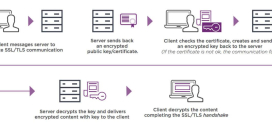
An SSL certificate (technically TLS these days, but everyone still says SSL, the way everyone still “dials” a phone) does two jobs at once.
First, identity. It confirms that the website a visitor connects to genuinely belongs to who it claims to belong to, and not to some opportunist running a convincing fake. A trusted authority vouches for this, much like a Secretary of State vouches for your company.
Second, encryption. It scrambles the data traveling between your visitor’s browser and your server, so passwords, card numbers, and contact-form confessions cannot be read by anyone snooping on the wire. Without it, that data travels in plain text, which is roughly like mailing your bank PIN on a postcard.
When an SSL certificate is installed and valid, browsers reward you with the padlock icon and an `https://` address. When it is missing or broken, browsers do the opposite: big, alarming “Not Secure” warnings that send visitors fleeing before they have read a single word.
Why does every website need one?
Once upon a time, SSL was reserved for checkout pages and banks. That era is over. Today every website needs SSL, and not as a nice-to-have:
- Browsers demand it. Modern browsers flag any non-HTTPS site as “Not Secure,” which is a spectacular way to lose trust in under a second.
- Search engines reward it. HTTPS is a recognized ranking signal, so the padlock helps with .
- Visitors expect it. People have been trained to look for the padlock. Its absence reads as either negligence or a trap.
- Data deserves protection. Even a humble newsletter signup transmits an email address worth keeping private.
Here is the parallel worth tattooing on your mental whiteboard: a certificate of good standing and an SSL certificate are both *trust certificates*, they just serve different audiences. The good standing certificate tells banks, lenders, and business partners that your *company* is legitimate and compliant. The SSL certificate tells browsers and visitors that your *website* is legitimate and secure. One is your company’s reputation rendered as a legal document; the other is your website’s reputation rendered as cryptography. If you run a business online, you genuinely may want both, legal good standing for the entity behind the brand, and an SSL certificate for the storefront people actually click on. Same instinct, two different rooms.
Certificate of good standing vs SSL certificate: what each proves
| Aspect | Certificate of Good Standing | SSL Certificate |
|---|---|---|
| What it is | Legal/business document | Technical/digital document |
| Who issues it | Government (e.g., Secretary of State) | A trusted Certificate Authority |
| What it proves | Your *company* is registered and compliant | Your *website’s* identity is genuine |
| Primary audience | Banks, lenders, partners, governments | Browsers and website visitors |
| What it protects | Your business’s legal credibility | Data in transit + visitor trust |
| Where you “see” it | A PDF or paper filing | The padlock and `https://` |
| Renewal | Periodic, tied to filings/fees | Periodic, often auto-renewed |
| Cost | Usually a state filing fee | Often free with good hosting |
Read that table once and the confusion melts. One certificate lives in a filing cabinet and reassures institutions. The other lives in your browser bar and reassures everyone who visits your site. Neither can do the other’s job, and asking your SSL certificate to open a business bank account will not go well for anyone.
How do you get the certificate your website needs?
For the legal certificate of good standing, the path runs through your government’s business registration office, and the details vary by jurisdiction. That is a conversation for your local authority (or a patient accountant).
For the SSL certificate, the good news is that you almost never have to think about it as a separate purchase or a manual ordeal anymore. The right hosting setup hands it to you automatically. You point your domain, the certificate provisions itself, the padlock appears, and you carry on with your day, blissfully un-bothered by cryptography you do not need to understand. For more on the moving parts, see and .
Get the certificate your website actually needs, free, with DarazHost
If you came here for the *website* certificate, here is the genuinely painless part. DarazHost includes free SSL certificates auto-installed on every plan, so your site gets the padlock, the encryption, and the browser trust with zero cost and zero hassle. It is the digital “good standing” your visitors instinctively look for before they type anything sensitive.
Better still, you do not have to babysit it. AutoSSL handles automatic provisioning and renewal, so your certificate never quietly expires and triggers one of those visitor-scaring “Not Secure” warnings. And if anything ever looks off, 24/7 support is on hand to sort it out. You handle the business good standing; we will handle the website’s. Explore the details on our page.
Frequently asked questions
Is a certificate of good standing the same as an SSL certificate?
No, and they are not even close. A certificate of good standing is a legal document from a government office proving your *company* is registered and compliant. An SSL certificate is a digital file that proves your *website’s* identity and encrypts its traffic. One reassures banks; the other reassures browsers.
Do I need a certificate of good standing for my website?
Not for the website itself. Websites run on SSL certificates, not legal good-standing documents. You might need a certificate of good standing for the *business* behind the website, for banking, loans, or contracts, but your site’s padlock has nothing to do with it.
Does an SSL certificate prove my business is legitimate?
It proves your *website* is genuine and its connection is encrypted, which is a meaningful trust signal. But it does not vouch for your company’s legal standing the way a certificate of good standing does. For full legitimacy in the eyes of a business, you may want both certificates. See .
How much does an SSL certificate cost?
It can range from free to premium, depending on the type and validation level. The practical answer for most sites: nothing, because reputable hosting plans, including DarazHost, bundle free SSL and auto-install it. You typically only pay for advanced certificates with extra validation.
What happens if my website has no SSL certificate?
Browsers will label your site “Not Secure,” data travels unencrypted, and search rankings can suffer. In short, visitors lose trust fast and may leave before reading anything. Installing (and auto-renewing) SSL is the fix, and it is usually free with good hosting.
Two certificates, one word, endless confusion, now untangled. A certificate of good standing keeps your company in the good books of banks and bureaucrats. An SSL certificate keeps your website in the good books of browsers and visitors. Sort out whichever one brought you here, and if it is the website kind, consider it handled.