LiveChat
  Support
SSD vs HDD: How Each Storage Type Works and Why It Matters for Web Hosting
When you read that a hosting plan uses “SSD storage” instead of “HDD,” it’s easy to treat it as a marketing checkbox. But the difference between these two storage types is mechanical, not cosmetic, and it changes how fast your website responds in a way you can actually feel. The short version: an SSD has no moving parts and answers requests electronically, while an HDD relies on spinning metal platters and a physical read head that has to move into position before it can read anything. That single distinction cascades into almost every difference that matters for a website.
This guide explains what SSDs and HDDs are, how each one actually works, where they differ, and why the gap between them is largest for exactly the kind of work a website does all day. If you want the broader context first, this article sits under our complete guide to how web hosting works, which covers the rest of the hosting stack around storage.
Key Takeaways
• An SSD (solid-state drive) stores data in flash memory with no moving parts; an HDD (hard disk drive) stores data on spinning magnetic platters read by a mechanical arm.
• SSDs are faster mainly because they have no seek time — there’s no physical head that has to travel to a location before reading.
• The SSD advantage is biggest for random access (lots of small, scattered reads), which is exactly what a website’s databases and many small files demand.
• For web hosting, SSDs mean faster TTFB, quicker database queries, and faster page loads; NVMe SSDs push this further still.
• HDDs remain sensible for cheap bulk storage and archival, where capacity per dollar matters more than speed.
What is an SSD and what is an HDD?
An HDD is the older of the two technologies. Inside the sealed case, one or more circular platters coated in magnetic material spin at high speed — typically 5,400 or 7,200 rotations per minute. A tiny read/write head floats just above each platter on the end of a moving arm, magnetizing or sensing spots on the surface to write and read bits. To reach a specific piece of data, two things must happen physically: the arm swings to the correct track, and the platter rotates until the right spot passes under the head. Both take real, measurable time.
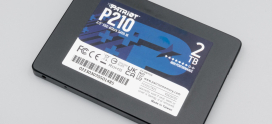
An SSD has none of that machinery. It stores data in NAND flash memory — banks of transistors that hold a charge to represent bits. There is no arm, no platter, no spinning. A controller chip maps where data lives and retrieves it by addressing the right memory cells directly, the way RAM does. Nothing moves. That’s the whole story behind why one is fast and the other is comparatively slow.
This is the mechanism that everything else in the comparison flows from, so it’s worth holding onto: HDD = mechanical, SSD = electronic.
How does each one actually work, and why is the SSD faster?
The speed difference isn’t magic, and it isn’t only about newer technology being better. It comes down to a delay called seek time.
On an HDD, every read or write that isn’t right under the head requires the arm to physically reposition. That mechanical movement takes a few milliseconds. A few milliseconds sounds tiny, but a busy web server performs thousands of these operations per second, and the delays stack up. Worse, when the data a server needs is scattered across the platter — which it almost always is — the head spends much of its time travelling rather than reading. The drive is mechanically limited by how fast a physical arm can move and how fast a platter can spin.
An SSD has no equivalent step. When the controller needs a piece of data, it addresses the flash cell directly and the data comes back almost immediately — in microseconds rather than milliseconds. There’s no waiting for an arm to arrive or a platter to rotate into place. Because access doesn’t depend on physical position, it makes little difference whether the next piece of data sits “next to” the last one or on the other side of the chip. The drive answers at roughly the same speed either way.
That property — consistent fast access regardless of where data lives — is what makes SSDs transformative for real workloads, as we’ll see shortly.
What are the key differences between SSD and HDD?
The mechanical-versus-electronic split produces a consistent set of trade-offs. Here’s how the two compare across the dimensions that matter.
| Characteristic | SSD (Solid-State Drive) | HDD (Hard Disk Drive) |
|---|---|---|
| Core technology | Flash memory, no moving parts | Spinning platters + moving read/write head |
| Read/write speed | Much faster | Slower, mechanically limited |
| Random access latency | Microseconds | Milliseconds (seek + rotation) |
| Durability / shock resistance | High — nothing to physically jar | Lower — moving parts can fail or be damaged |
| Noise | Silent | Audible spin and head movement |
| Power consumption | Lower | Higher |
| Price per gigabyte | Higher | Lower |
| Maximum capacity per drive | Generally lower (improving fast) | Generally higher for the money |
A few of these deserve a closer look in the hosting context.
Latency and IOPS. IOPS means “input/output operations per second” — how many separate read/write requests a drive can satisfy. Because SSDs don’t waste time seeking, they handle vastly more IOPS than HDDs, especially for small, random requests. This is the single most important spec for server storage, and it’s where the two technologies diverge most sharply.
Durability. An HDD is a precision mechanical device with parts in constant motion, so it has more ways to fail and is more sensitive to physical shock. An SSD has no moving parts, which generally makes it more rugged. (SSD flash cells do wear with writes over time, but modern drives manage this well enough that it rarely matters in practice.)
Price and capacity. This is the one area where HDDs still win cleanly. You get far more gigabytes per dollar from a spinning disk, and the largest individual drives are HDDs. When raw capacity is the goal and speed isn’t, that economics still holds.
Why does SSD vs HDD matter so much for web hosting specifically?
Here’s where the comparison stops being abstract. A website is not one big file that gets read start to finish. It’s the opposite: a sprawl of small, scattered pieces.
When someone loads a page on your site, the server typically queries a database (often many separate small lookups), reads configuration files, pulls template fragments, loads images and scripts, and assembles all of it on the fly. Each of those is a small read, and they’re scattered all over the storage, not laid out neatly in sequence. This is a random read workload, and it’s precisely the pattern where an HDD’s seek time hurts most and an SSD’s lack of seek time helps most.
The practical results follow directly:
- Faster TTFB (time to first byte). The server can fetch what it needs to start building the page without waiting on a mechanical arm, so the first byte reaches the visitor’s browser sooner.
- Faster database queries. Databases live and die by random reads. Moving the database onto SSD storage often produces the most noticeable speedup of all.
- Faster page loads under load. When many visitors hit the site at once, the server is juggling a flood of small concurrent reads. SSDs absorb that far better, so performance holds up instead of collapsing.
Here’s the part that the spec sheet undersells. People compare SSDs and HDDs by their headline sequential throughput — the big number that describes copying one large file. But that’s not what a website does, and it’s not where the real-world speedup comes from. The reason moving to SSD hosting often feels *bigger* than the numbers suggest is random access. A real website doesn’t read one large file; it scatters thousands of tiny reads across a database and many small files. On an HDD, the physical read head must mechanically seek to a new position for each of those reads — milliseconds, repeated thousands of times. An SSD answers each one in microseconds, with nothing moving at all. So the SSD’s advantage is largest for exactly the messy, fragmented, random workload that a live website actually is. The gap on a benchmark of sequential transfer is real but modest; the gap on the chaotic real workload of serving pages is enormous. That mismatch is why the upgrade so often feels like a step-change rather than an incremental gain.
What about NVMe — is that different from a regular SSD?
Yes, and it’s the logical next step. Early SSDs were connected to the server using SATA — the same interface designed years earlier for hard drives. That worked, but SATA was built around the speed of spinning disks, so it became a bottleneck: the flash inside could go faster than the connection allowed.
NVMe (Non-Volatile Memory Express) is a newer interface designed specifically for flash storage. It connects the drive over the much faster PCIe lanes — the same high-speed pathway used by graphics cards — and lets the SSD’s flash work closer to its real potential, with far more parallel request queues. In plain terms: a SATA SSD is much faster than an HDD, and an NVMe SSD is much faster again. For hosting, NVMe extends the same advantage — even lower latency and even higher IOPS — for sites with heavy databases or lots of traffic. If you want to go deeper, see .
When does an HDD still make sense?
SSDs aren’t the right answer for literally everything, and it’s worth being honest about that. HDDs remain the sensible choice when capacity per dollar matters more than speed:
- Bulk and archival storage. Backups, old logs, media libraries, and cold data that’s rarely accessed don’t need microsecond latency. Storing terabytes of it cheaply on HDDs is perfectly reasonable.
- Large-scale storage where speed is secondary. A file server holding huge volumes of infrequently touched data gets more usable space per dollar from spinning disks.
The pattern is consistent: HDDs win on cost-per-gigabyte for data you store but rarely read quickly. The moment performance enters the picture — and for the live storage behind a website, it always does — SSDs take over.
DarazHost: fast storage where it counts
This is exactly why DarazHost runs all hosting on fast SSD and NVMe storage, paired with LiteSpeed caching. Your database queries and page loads stay quick where it actually matters — never bottlenecked by a slow spinning disk and a mechanical read head crawling across a platter. Because a website’s workload is dominated by small random reads, fast storage isn’t a luxury here; it’s the foundation everything else sits on. Fast SSD storage is standard on every plan, backed by 99.9% uptime and 24/7 support — so the speed advantage we’ve described all the way through this article is simply the default, not an upgrade you have to chase.
If you want to understand how storage speed interacts with the rest of your site’s performance, our guide on connects the dots between storage, caching, and load times.
What’s the verdict on SSD vs HDD for hosting?
For web hosting, the verdict isn’t close. A website’s workload is built almost entirely from small, random reads, and that’s precisely where SSDs hold their largest advantage and HDDs their largest weakness. Faster TTFB, faster database queries, and steadier performance under traffic all flow from the same mechanical fact: an SSD doesn’t have to physically move anything to answer a request.
HDDs still earn their place — for cheap bulk storage and archives, the economics are hard to beat. But for the live storage that serves your pages, SSD (and NVMe where you can get it) is the clear choice. If you’re evaluating plans, treating as a baseline requirement rather than a premium feature is the right instinct.
Frequently asked questions
Is an SSD always faster than an HDD? For the random-access workloads that define real-world computing and web hosting, yes — substantially. The gap narrows only for purely sequential transfer of one large file, but even there the SSD is faster. For serving a website, which is dominated by small scattered reads, the SSD advantage is at its maximum.
Do SSDs wear out faster than HDDs? SSD flash cells have a finite number of write cycles, which sounds alarming, but modern drives spread writes across cells (wear levelling) and last well beyond typical use. HDDs, with their moving parts, have their own failure modes from mechanical wear and shock. In practice, neither’s lifespan should drive a hosting decision.
Is NVMe worth it over a regular SATA SSD for hosting? For sites with heavy databases or significant traffic, NVMe’s lower latency and higher IOPS deliver a meaningful additional improvement. For a small, low-traffic site, a good SATA SSD is already a large leap over an HDD, and the difference will be less dramatic — but NVMe never hurts.
Why does my site feel faster on SSD hosting than the benchmarks suggest? Because benchmarks usually highlight sequential throughput, while a live website is a random-read workload. The SSD’s biggest advantage is in random access — exactly what serving pages, querying databases, and loading many small files requires. The real-world speedup outpaces the headline numbers.
Should I ever choose HDD hosting to save money? Only if your use case is genuinely about cheap bulk storage rather than serving a fast website — for example, storing large archives or backups. For anything where visitors are waiting on page loads, the performance cost of HDD storage outweighs the savings.