LiveChat
  Support
WordPress Care Plan: What It Includes and How to Choose One
A WordPress website is never truly “finished.” Once your site goes live, it enters a continuous cycle of software releases, security advisories, and shifting performance expectations. A WordPress care plan is a structured, ongoing maintenance service that keeps your site updated, secure, backed up, and performing well — so the platform that runs your business does not quietly degrade while you focus on everything else.
If you are evaluating whether to handle maintenance yourself or pay for a managed plan, this guide breaks down exactly what a care plan covers, why ongoing maintenance is non-negotiable, and how to choose the right tier for your situation.
Key Takeaways
• A WordPress care plan bundles recurring maintenance: core, plugin, and theme updates, backups, security monitoring and malware scanning, uptime monitoring, performance optimization, and support hours.
• WordPress sites need ongoing maintenance because the software, its plugins, and the threat landscape all change constantly — neglect compounds into security breaches and downtime.
• DIY maintenance is viable for technically confident owners; a managed care plan trades a recurring fee for expertise, accountability, and time saved.
• Pricing depends on site complexity, update frequency, included support hours, and whether emergency response is covered.
• A reliable hosting foundation makes any care plan dramatically easier to deliver.
What Is a WordPress Care Plan?
A WordPress care plan is a subscription-based maintenance service — sometimes called a maintenance plan, support retainer, or website care package — under which a provider takes ongoing responsibility for the health of your WordPress site. Instead of reacting to problems after they break something, a care plan applies preventive maintenance on a recurring schedule.
The core idea is shifting risk and routine work off your plate. Rather than remembering to run updates, verify backups, and watch for intrusions, you delegate those tasks to a defined process with predictable coverage. For business owners, agencies managing client sites, and anyone who depends on their website for revenue, this turns an unpredictable liability into a managed, budgeted line item.
Care plans are typically sold in tiers — basic, standard, and premium being the common pattern — with each tier adding more frequent attention, deeper optimization, and more hands-on support.
Why Do WordPress Sites Need Ongoing Maintenance?
WordPress powers a large share of the web precisely because it is flexible and extensible. That same extensibility is why it demands continuous care. Several forces work against a “set it and forget it” approach.
Software constantly changes. WordPress core, your theme, and every plugin you install receive regular updates. These patch security holes, fix bugs, and maintain compatibility with new PHP versions. Skip them, and you accumulate technical debt and exposure.
The threat landscape is active. Automated bots continuously probe WordPress sites for known vulnerabilities, weak credentials, and outdated components. Unmaintained sites are the easiest targets because the exploits used against them are already public.
Compatibility drifts. A plugin that worked perfectly last year may conflict with a newer core release. Without testing and managed updates, a routine change can break a checkout flow, a contact form, or your entire layout.
Performance degrades. Databases bloat, caches go stale, and unoptimized media accumulates. Search engines and visitors both punish slow sites, so performance needs periodic tuning rather than one-time setup.
The most underestimated value of a care plan is not the updates themselves — it is the verified, tested update process. Anyone can click “update all.” The real protection comes from updating in a controlled way, with a fresh backup in hand and a post-update check that confirms nothing broke. An unverified update is a gamble; a managed one is maintenance. This distinction is what separates a genuine care plan from a button-clicking service.
What Does a WordPress Care Plan Typically Include?
A complete care plan covers six pillars. The depth of each one usually scales with the tier you choose.
Core, Plugin, and Theme Updates
The foundation of any plan. WordPress core, plugins, and themes are updated on a defined cadence, ideally after a backup is taken and ideally with a post-update review to catch breakages. Higher tiers update more frequently and may test updates in a staging environment before applying them to your live site.
Backups
Regular, automated backups of files and the database, stored off the live server, with a defined retention period and a tested restore process. The frequency — daily, weekly, or real-time — typically rises with the tier. A backup you have never tested is only a hope, so credible plans verify restorability.
Security Monitoring and Malware Scanning
Ongoing malware scanning, file-integrity monitoring, and review of suspicious activity. Stronger plans add a firewall, brute-force protection, and malware removal if an infection is found, rather than just flagging it.
Uptime Monitoring
Automated uptime monitoring that checks your site at regular intervals and alerts when it goes down. Premium tiers shorten the check interval and add faster response when an outage is detected.
Performance Optimization
Periodic performance optimization — database cleanup, caching configuration, image optimization, and speed checks — to keep load times healthy as the site grows.
Support Hours
A block of support hours for content edits, troubleshooting, and small changes. This is often the most variable element: entry plans may offer none or very few, while premium plans include generous monthly hours and priority response.
Care Plan Tiers Compared
| Feature | Basic | Standard | Premium |
|---|---|---|---|
| Core/plugin/theme updates | Monthly | Weekly | Weekly + staging-tested |
| Backups | Weekly | Daily | Daily / real-time |
| Security scanning | Basic scan | Scan + firewall | Scan, firewall + malware removal |
| Uptime monitoring | Periodic checks | Frequent checks | Frequent checks + rapid response |
| Performance optimization | Occasional | Scheduled | Continuous tuning |
| Support hours | Minimal / none | Limited monthly hours | Priority + generous hours |
| Reporting | Basic | Monthly report | Detailed monthly report |
*Tier structures vary by provider; treat this as a typical pattern rather than a fixed standard.*
DIY Maintenance vs a Managed Care Plan: Which Is Right for You?
Both approaches are legitimate. The right choice depends on your technical comfort, your time, and how much risk your site carries.
DIY maintenance suits owners who are technically confident, run a relatively simple site, and have time to maintain it consistently. You keep full control and avoid a recurring fee, but you also own every consequence — including the 2 a.m. recovery when an update breaks the site or a vulnerability is exploited. The hidden cost of DIY is the discipline it demands: maintenance only protects you if it actually happens on schedule.
A managed care plan suits owners who would rather buy back their time, want a single accountable party, or run a site where downtime directly costs money. You pay a recurring fee, but you gain expertise, tested processes, and someone to call when something goes wrong. For agencies and businesses, the predictability and accountability often justify the cost on their own.
A practical middle path exists: choose reliable managed hosting that handles much of the heavy lifting — automated backups, server-level security, caching — and layer a lighter care plan, or your own routine, on top.
How Do You Choose the Right WordPress Care Plan?
Match the plan to your site’s real needs rather than buying the cheapest or most expensive option by default. Work through these questions.
- How critical is uptime? An e-commerce store or lead-generating site needs faster monitoring and response than a low-traffic brochure site.
- How complex is the site? More plugins, custom code, and integrations mean more that can break, which argues for staging-tested updates and more support hours.
- What backup and restore guarantees are offered? Confirm frequency, retention, off-site storage, and — critically — that restores are tested.
- What does security coverage actually include? Distinguish plans that only *detect* problems from those that also *fix* them, including malware removal.
- How are support requests handled? Check included hours, response times, and what counts against your allotment.
- Is reporting transparent? A clear monthly report showing what was updated, scanned, and backed up proves the work is being done.
What Affects WordPress Care Plan Pricing?
Pricing scales with the scope of work and the level of guarantee, not with any single fixed rate. The main factors are:
- Site complexity — number of plugins, custom functionality, and integrations.
- Update frequency — weekly and staging-tested updates cost more than monthly batch updates.
- Backup frequency and retention — real-time backups with long retention sit at the premium end.
- Security depth — active firewall management and guaranteed malware cleanup raise the price.
- Included support hours — more hands-on time and priority response increase cost.
- Emergency response — plans guaranteeing rapid response to outages or hacks command a premium.
Generally, the more the plan proactively prevents and guarantees, the higher the recurring fee — and for revenue-dependent sites, that guarantee is often where the value lives.
The Hosting Foundation Behind a Strong Care Plan
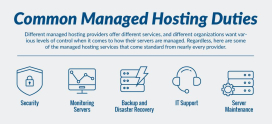
A care plan can only be as dependable as the infrastructure it runs on. DarazHost provides managed, WordPress-friendly hosting built to be the stable foundation a care plan sits on:
- Automatic backups so a recoverable copy of your site always exists before and after maintenance.
- Security and firewall protection that blocks threats at the server level, reducing the surface a care plan has to defend.
- LiteSpeed caching for fast page loads, making performance optimization easier to sustain as your site grows.
- 99.9% uptime backed by reliable infrastructure, so uptime monitoring has less to alert on in the first place.
- Free SSL to keep traffic encrypted and trusted by default.
- 24/7 support from a team that understands WordPress, ready when you need help.
When the hosting layer already handles backups, security, and speed, ongoing maintenance becomes simpler, faster, and far less risky. A solid host does not replace a care plan — it makes every part of one easier to deliver.
Frequently Asked Questions
Is a WordPress care plan really necessary if my site rarely changes? Yes. Even a site you never edit still runs software that receives security patches and compatibility updates. Static-looking sites are frequently the most neglected and therefore the most vulnerable, because nobody is watching them.
Can I just rely on automatic updates instead of a care plan? Automatic updates help, but they apply changes without a fresh backup or a post-update check. If an update breaks your site, you can be left with downtime and no clean restore point. A care plan adds the verification and safety net that raw auto-updates lack.
How often should WordPress backups be taken? It depends on how often your content changes. A frequently updated store or blog benefits from daily or real-time backups, while a rarely changed site may be fine with weekly. The key is that backups are stored off-site and that restores are tested.
Does managed hosting replace a care plan? Not entirely. Quality managed hosting handles server-level security, caching, and automated backups, which covers a large share of maintenance. A care plan adds site-level work — tested updates, content support, and hands-on troubleshooting — on top of that foundation.
What happens if my site gets hacked while on a care plan? That depends on the tier. Basic plans may detect and alert you, while premium plans typically include malware removal and cleanup as part of the service. Always confirm whether remediation — not just detection — is covered before you sign up.