LiveChat
  Support
Google DNS vs Cloudflare DNS: Which Public Resolver Is Right for You?
When you compare Google DNS vs Cloudflare DNS, you are choosing between the two most widely used public DNS resolvers on the internet. Both translate the domain names you type into the IP addresses your device needs, and both promise faster, safer, and more private browsing than the default resolver your internet service provider hands you. But they take meaningfully different approaches to privacy, filtering, and feature depth — and the right choice depends on what you value most.
This guide breaks down Google Public DNS (8.8.8.8 / 8.8.4.4) and Cloudflare DNS (1.1.1.1 / 1.0.0.1) across speed, privacy policy, security protocols, and content-filtering variants. Just as importantly, it clarifies a point that trips up many site owners: a public resolver is not the same thing as your domain’s authoritative DNS, and knowing the difference changes which decisions actually matter.
Key Takeaways
• Google Public DNS (8.8.8.8) and Cloudflare DNS (1.1.1.1) are *recursive resolvers* that look up addresses on your behalf — they are not where your website’s DNS records live.
• Cloudflare positions itself around privacy, pledging not to sell user data and to wipe query logs quickly; Google also anonymizes data but operates within a broader advertising-driven company.
• Both support modern encryption: DNS over HTTPS (DoH), DNS over TLS (DoT), and DNSSEC validation.
• Cloudflare offers filtering variants — 1.1.1.2 blocks malware and 1.1.1.3 adds adult-content blocking — while Google focuses on a clean, unfiltered resolver.
• Changing your resolver affects *your* lookups; it does not change how visitors reach *your* site. That is governed by authoritative DNS, which DarazHost manages for hosting and domain customers.
What Is a Public DNS Resolver, and How Is It Different From Authoritative DNS?
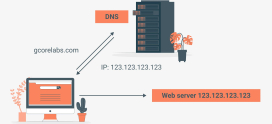
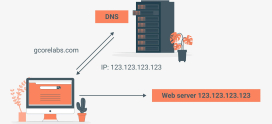
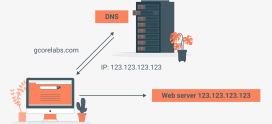
The Domain Name System (DNS) is the internet’s address book. When you type a domain, your device asks a recursive resolver to find the matching IP address. The resolver does the legwork — querying root servers, top-level domain servers, and finally the domain’s authoritative nameservers, which hold the official records.
A public DNS resolver like Google’s `8.8.8.8` or Cloudflare’s `1.1.1.1` simply replaces the recursive resolver your ISP would otherwise assign you. You point your device or router at it, and from then on your lookups travel through that provider’s infrastructure.
This is the critical distinction. Authoritative DNS is the source of truth for a specific domain — it stores the A, AAAA, MX, CNAME, and TXT records that tell the world where your website, email, and services live. Recursive resolvers are the messengers that fetch those records for end users. Switching to Google or Cloudflare changes *which messenger you use*; it does nothing to the records your own domain publishes. We will return to this point, because it determines what site owners should actually optimize.
A subtle consequence of this split: the resolver you choose can influence how *quickly* you see DNS changes, but it can never override them. If you update a record at your authoritative provider and a public resolver still shows the old value, you are looking at caching governed by the record’s TTL (Time To Live), not a flaw in the resolver. This is why “flush your DNS” and “try 1.1.1.1” are common troubleshooting steps — they sidestep stale local or ISP-level caches, not the authoritative record itself.
Is Cloudflare DNS Faster Than Google DNS?
Both providers operate anycast networks with hundreds of points of presence worldwide, meaning your query is routed to the nearest data center automatically. In practice, both deliver lookups fast enough that most users will not perceive a difference in everyday browsing.
Cloudflare has built much of its public identity around resolver speed, and independent latency measurements frequently place it at or near the top globally. Google Public DNS is also consistently fast and benefits from one of the largest server footprints of any operator. The honest answer is that real-world performance depends heavily on your geographic location and which provider has a nearby node with a good network path to you.
The practical recommendation: if speed is your priority, test both from your own connection rather than relying on global averages. A resolver that wins benchmarks in one region may trail in another.
Google DNS vs Cloudflare DNS: Full Comparison
The table below summarizes how the two public resolvers compare across the dimensions that matter most.
| Feature | Google Public DNS | Cloudflare DNS |
|---|---|---|
| Primary IPv4 | 8.8.8.8 | 1.1.1.1 |
| Secondary IPv4 | 8.8.4.4 | 1.0.0.1 |
| IPv6 | 2001:4860:4860::8888 / ::8844 | 2606:4700:4700::1111 / ::1001 |
| Privacy stance | Anonymizes and limits retained data; part of a broader ad-driven company | Pledges no selling of user data; commits to wiping query logs quickly |
| Speed | Very fast, vast global footprint | Very fast, strong latency reputation |
| DNS over HTTPS (DoH) | Supported | Supported |
| DNS over TLS (DoT) | Supported | Supported |
| DNSSEC validation | Supported | Supported |
| Malware filtering | Not offered (clean resolver) | 1.1.1.2 (security) |
| Adult-content filtering | Not offered | 1.1.1.3 (family) |
| Consumer app | None dedicated | 1.1.1.1 / WARP app |
How Do Their Privacy Policies Actually Differ?
For many people, privacy is the deciding factor. Every resolver sees every domain you look up, so the operator’s data practices genuinely matter.
Cloudflare has made privacy a headline feature of `1.1.1.1`. It publicly commits to not selling user data and to not using DNS query data to target advertising, and it states that it discards the bulk of query logs within a short window. Cloudflare has also engaged third-party auditors to examine these claims, which adds a layer of accountability.
Google Public DNS also takes privacy seriously at the technical level: it does not associate your queries with your Google account, it anonymizes IP information after a period, and it does not use the data for ad targeting in the resolver itself. The nuance some users weigh is that Google’s core business is advertising-driven, so they prefer a provider whose primary business is not built around user data — even when the resolver policy itself is sound.
Neither resolver is a substitute for a VPN or for HTTPS. Both, however, are clear improvements over a typical ISP resolver that may log and monetize your browsing.
What Security Features Do Google and Cloudflare DNS Offer?
Modern public resolvers do more than translate names — they harden the lookup itself.
- DNS over HTTPS (DoH) encrypts your DNS queries inside regular HTTPS traffic, preventing eavesdroppers (and many ISPs) from seeing which sites you visit. Both providers support it.
- DNS over TLS (DoT) wraps queries in a dedicated encrypted channel on its own port. Both providers support it.
- DNSSEC validation lets the resolver verify that the answers it receives are cryptographically signed and have not been tampered with in transit. Both providers validate DNSSEC.
Where they diverge is content filtering:
- Cloudflare offers 1.1.1.2, which blocks domains associated with malware, and 1.1.1.3, which blocks both malware and adult content — a family-friendly option configured at the resolver level.
- Google Public DNS intentionally ships as a clean, unfiltered resolver. It will not block malicious or adult domains for you, which appeals to users who want zero interference and prefer to handle filtering through other tools.
If you want lightweight, network-wide protection without installing software, Cloudflare’s filtered variants are the simpler path. If you want a neutral resolver and manage filtering elsewhere, Google’s approach fits better.
How Do You Change Your DNS Resolver?
Switching is straightforward and reversible. You can configure DNS at the device level (affecting one computer or phone) or the router level (affecting every device on the network).
On Windows: Open *Network & Internet settings* → *Change adapter options* → right-click your connection → *Properties* → *Internet Protocol Version 4 (TCP/IPv4)* → *Properties* → select Use the following DNS server addresses and enter the primary and secondary IPs.
On macOS: *System Settings* → *Network* → select your connection → *Details* → *DNS* → add the resolver addresses.
On a router: Log into the router’s admin panel, find the DNS settings (often under WAN or Internet), and enter the resolver IPs so every connected device inherits them.
For 8.8.8.8 and 8.8.4.4 you get Google; for 1.1.1.1 and 1.0.0.1 you get Cloudflare; for filtered protection use 1.1.1.2 or 1.1.1.3. To enable DoH or DoT, configure encrypted DNS in your browser settings or operating system, or use the provider’s dedicated app where available.
When Does Your Resolver Choice Actually Matter — and When Does It Not?
Here is the reframe that matters for anyone running a website. Choosing Google DNS vs Cloudflare as your resolver shapes *your own* browsing — your speed, your privacy, your filtering. It has no effect on how visitors reach your website.
Your visitors use *their own* resolvers — some on `8.8.8.8`, some on `1.1.1.1`, many on their ISP’s default. What every one of them ultimately queries is your domain’s authoritative DNS: the nameservers and records that say where your site and email live. If those records are slow to resolve, poorly configured, or hosted on unreliable nameservers, no resolver choice on the visitor’s end can fix it.
So the resolver debate is about *your experience as a user*. The far more consequential decision for a *site owner* is the quality and reliability of the authoritative DNS serving your domain.
Reliable Authoritative DNS, Managed for You by DarazHost
While public resolvers handle the visitor’s side of the lookup, DarazHost handles the side you control: your domain’s authoritative DNS. Every hosting and domain plan includes fast, reliable nameservers built on resilient infrastructure, so the records for your website and email resolve quickly and consistently for visitors — no matter which public resolver they personally use.
Our control panel makes DNS record management straightforward: add or edit A, AAAA, CNAME, MX, and TXT records, adjust TTL values, and propagate changes without wrestling with raw zone files. Whether your audience is on `8.8.8.8`, `1.1.1.1`, or their ISP’s resolver, authoritative DNS managed by DarazHost ensures they always find their way to your site.
Frequently Asked Questions
Is Cloudflare DNS better than Google DNS for privacy? Cloudflare leans harder into privacy as a product feature, pledging not to sell user data and to discard query logs quickly, with third-party audits to back its claims. Google also anonymizes data and does not use resolver queries for ad targeting. Many privacy-focused users prefer Cloudflare because its core business is not advertising, but both are stronger privacy choices than a typical ISP resolver.
What is the difference between 1.1.1.1, 1.1.1.2, and 1.1.1.3? All three are Cloudflare resolvers. 1.1.1.1 is the standard unfiltered resolver, 1.1.1.2 blocks known malware domains, and 1.1.1.3 blocks both malware and adult content for family-friendly browsing.
Will switching to Google or Cloudflare DNS speed up my website for visitors? No. Changing your own resolver only affects *your* lookups. Your visitors use their own resolvers, and they all query your domain’s authoritative DNS. To improve the experience for visitors, focus on fast, reliable authoritative nameservers rather than which public resolver you personally use.
Do Google and Cloudflare DNS support encrypted DNS? Yes. Both support DNS over HTTPS (DoH) and DNS over TLS (DoT) to encrypt your queries, and both perform DNSSEC validation to confirm responses have not been tampered with.
Can I use a public resolver and still manage my own domain records? Absolutely. The two are independent. You can browse using `8.8.8.8` or `1.1.1.1` as your resolver while your domain’s records are served by a completely separate authoritative DNS provider, such as the nameservers included with your DarazHost hosting or domain plan.